Join us at FabCon Atlanta from March 16 - 20, 2026, for the ultimate Fabric, Power BI, AI and SQL community-led event. Save $200 with code FABCOMM.
Register now!Get Fabric Certified for FREE during Fabric Data Days. Don't miss your chance! Request now
Hello,
I am trying to get the average $'s by Opportunity ID in a measure of a table, and then have the grand total be a sum of that measure instead of the overall average.
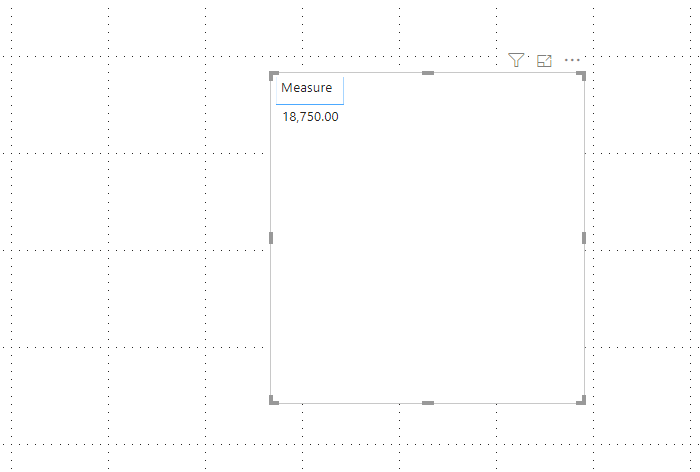
Below is some example date to illustrate the idea, where basically I would want to summarize the License $ by Account in averageing the License $ by Opportunity ID, in this example totaling $18,750 (which includes the 0's). Right now the system is averaging every single line and getting $27,778. I would like this to be maliable so I can bring in other dimensions like Region and the numbers still total the same.
How can this best be done?
Thank you in advance!!
-Greg
| Account Name | Opportunity ID | License $ | Contact ID |
| US Bank | O-106021 | $ 50,000 | 0031N00001uEXuEQAW |
| US Bank | O-106021 | $ 50,000 | 0031N00001uEIYlQAO |
| US Bank | O-106021 | $ 50,000 | 0031N00001uEXEhQAO |
| US Bank | O-106021 | $ 50,000 | 0031N00001uG5h5QAC |
| US Bank | O764540 | $ 25,000 | 0031N00001uEXuEQAW |
| US Bank | O764540 | $ 25,000 | 0031N00001uEIYlQAO |
| US Bank | O762962 | $ - | 0031N00001uEXEhQAO |
| US Bank | O762962 | $ - | 0031N00001uG5h5QAC |
| US Bank | O-353468 | $ - | 0031N00001uEIYlQAO |
Solved! Go to Solution.
Hi @gsed99 ,
Would you please try the following measure:
Measure =
SUMX (
SUMMARIZE (
'Table',
'Table'[Opportunity ID],
"avg", AVERAGE ( 'Table'[ License $ ] )
),
[avg]
)
/ DISTINCTCOUNT ( 'Table'[Opportunity ID] )
If this post helps, then please consider Accept it as the solution to help the other members find it more quickly.
Best Regards,
Dedmon Dai
Hi @gsed99 ,
Would you please try the following measure:
Measure =
SUMX (
SUMMARIZE (
'Table',
'Table'[Opportunity ID],
"avg", AVERAGE ( 'Table'[ License $ ] )
),
[avg]
)
/ DISTINCTCOUNT ( 'Table'[Opportunity ID] )
If this post helps, then please consider Accept it as the solution to help the other members find it more quickly.
Best Regards,
Dedmon Dai
So, This looks like a measure totals problem. Very common. See my post about it here: https://community.powerbi.com/t5/DAX-Commands-and-Tips/Dealing-with-Measure-Totals/td-p/63376
Also, this Quick Measure, Measure Totals, The Final Word should get you what you need:
https://community.powerbi.com/t5/Quick-Measures-Gallery/Measure-Totals-The-Final-Word/m-p/547907
In particular, I think you want something like this: https://community.powerbi.com/t5/Quick-Measures-Gallery/Matrix-Measure-Total-Triple-Threat-Rock-amp-...
Check out the November 2025 Power BI update to learn about new features.
Advance your Data & AI career with 50 days of live learning, contests, hands-on challenges, study groups & certifications and more!