cancel
Showing results for 
Search instead for 
Did you mean: 

The Power BI Data Visualization World Championships is back! Get ahead of the game and start preparing now! Learn more

Reply
omkar_nag123
Regular Visitor

Attrition Rate

Hi, Community

I have HR sample data, I'm trying to calculate Attrition Rate 

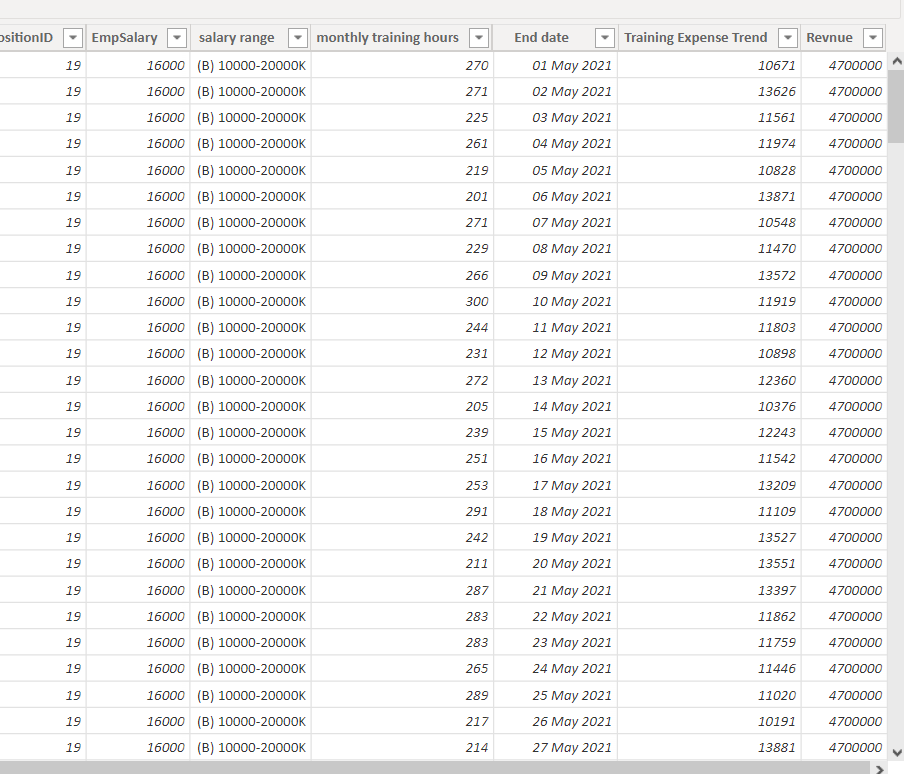
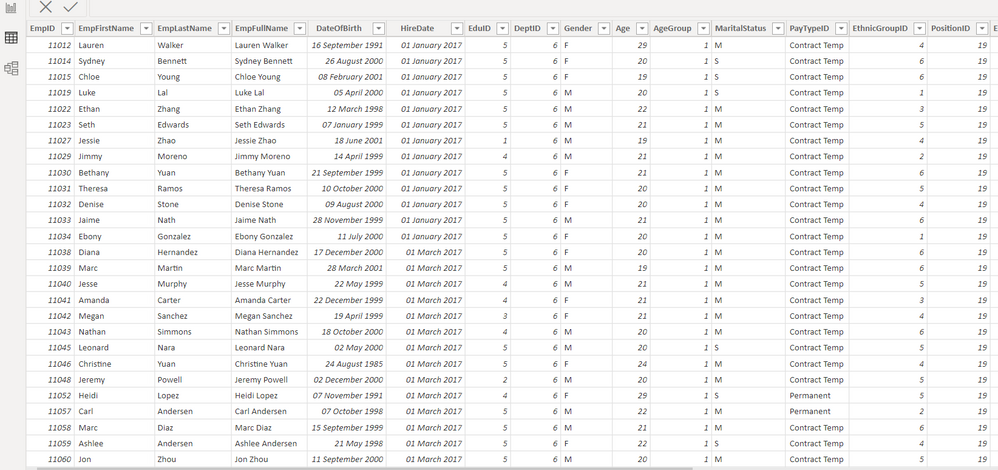
Following are the images of my data, Can you suggest any Dax from the below data. Capture 2.PNGcapture1.PNG


4 REPLIES 4
amitchandak
Super User
Super User

@omkar_nag123 , for Attrition Rate, you need hire date too ?


example

https://community.powerbi.com/t5/Community-Blog/HR-Analytics-Active-Employee-Hire-and-Termination-tr...


a measure like

Attrition Rate =

divide([Terminated Employees], [Current Employees])

Share with Power BI Enthusiasts: Full Power BI Video (20 Hours) YouTube
Microsoft Fabric Series 60+ Videos YouTube
Microsoft Fabric Hindi End to End YouTube

Hi @amitchandak 

I've hire date column.

how to calculate Terminate and Current Employees


Ps: I'm new to power bi

@omkar_nag123 , with help from a date table , you can do that. Refer steps in blog


Hired Employee = CALCULATE(COUNT(Employee[Employee Id ]),USERELATIONSHIP(Employee[Start Date],'Date'[Date]) )

Terminated Employees = CALCULATE(COUNT(Employee[Employee Id ]),USERELATIONSHIP(Employee[End Date],'Date'[Date]),not(ISBLANK(Employee[End Date])))

Current Employees = CALCULATE(COUNTx(FILTER(Employee,Employee[Start Date]<=max('Date'[Date]) && (ISBLANK(Employee[End Date]) || Employee[End Date]>max('Date'[Date]))),(Employee[Employee Id ])),CROSSFILTER(Employee[Start Date],'Date'[Date],None))


Date table has active join with hire date and inactive join with end date


Please find the file attached after signature


Share with Power BI Enthusiasts: Full Power BI Video (20 Hours) YouTube
Microsoft Fabric Series 60+ Videos YouTube
Microsoft Fabric Hindi End to End YouTube

@omkar_nag123 ,

refer if these formulae can help


Hired Employee = CALCULATE(COUNT(Employee[Employee Id ]),USERELATIONSHIP(Employee[Start Date],'Table'[Date]) )


Terminated Employees = CALCULATE(COUNT(Employee[Employee Id ]),USERELATIONSHIP(Employee[End Date],'Table'[Date]),not(ISBLANK(Employee[End Date])))


Hired Employee rolling 12 = calculate([Hired Employee], DATESINPERIOD('Date'[Date ],MAX('Date'[Date ]),-12,MONTH))


Terminated Employees rolling 12 = calculate([Terminated Employees], DATESINPERIOD('Date'[Date ],MAX('Date'[Date ]),-12,MONTH))

Share with Power BI Enthusiasts: Full Power BI Video (20 Hours) YouTube
Microsoft Fabric Series 60+ Videos YouTube
Microsoft Fabric Hindi End to End YouTube

Helpful resources

Announcements
Power BI DataViz World Championships

Power BI Dataviz World Championships

The Power BI Data Visualization World Championships is back! Get ahead of the game and start preparing now!

December 2025 Power BI Update Carousel

Power BI Monthly Update - December 2025

Check out the December 2025 Power BI Holiday Recap!

FabCon Atlanta 2026 carousel

FabCon Atlanta 2026

Join us at FabCon Atlanta, March 16-20, for the ultimate Fabric, Power BI, AI and SQL community-led event. Save $200 with code FABCOMM.