cancel
Showing results for 
Search instead for 
Did you mean: 

The Power BI Data Visualization World Championships is back! Get ahead of the game and start preparing now! Learn more

Reply
Anonymous
Not applicable

Assign IDs from one table to different columns in another table

Hello, ive been strugling with this for a while. would appreciate helpp

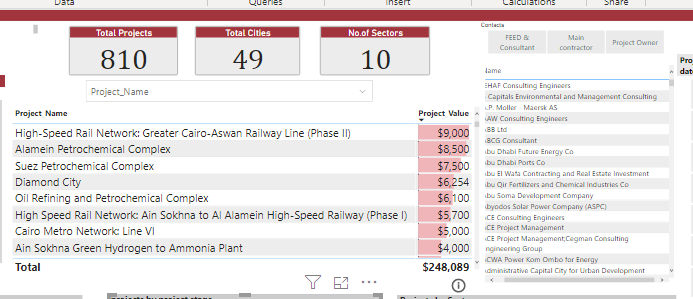
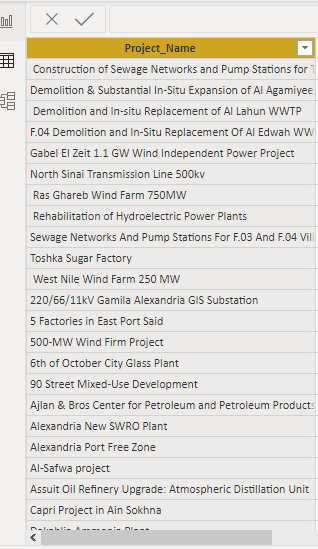
I want to filter by contact name through the projects as shown here 

FIG1FIG1


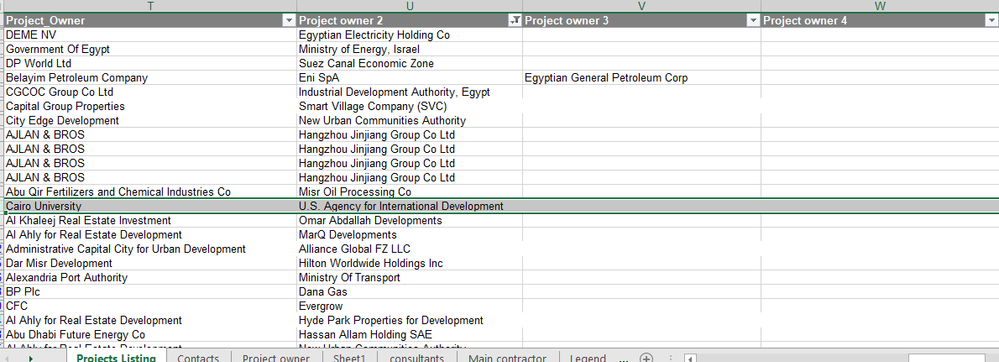
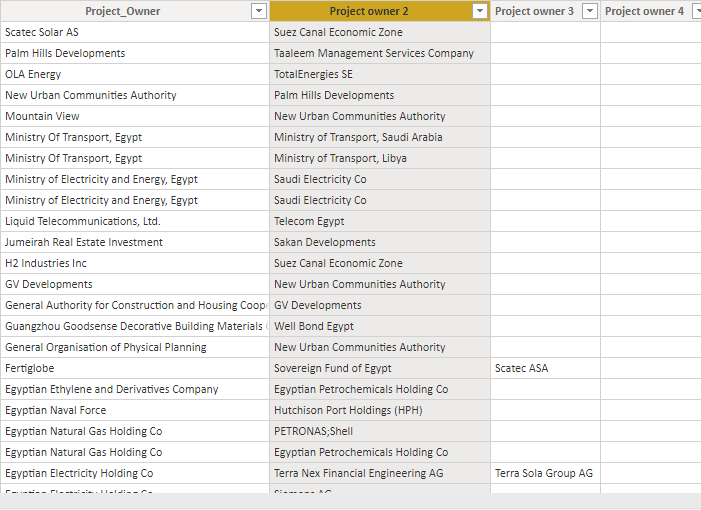
here i want each project owner name to filter with the projects they are in but the trick is that we have 4 column for project owners and i want each distinct vaue to have an id across the whole table


woud appreciate all the help ^^


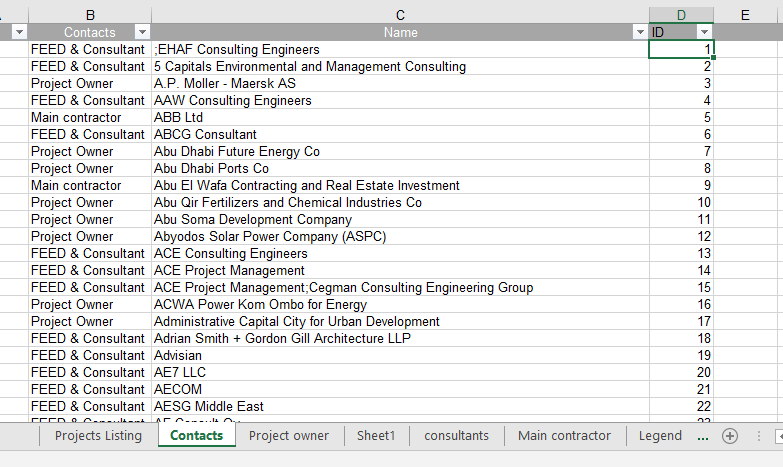
FIG2FIG2FIG 3FIG 3

1 ACCEPTED SOLUTION
Anonymous
Not applicable

Hi @Anonymous ,

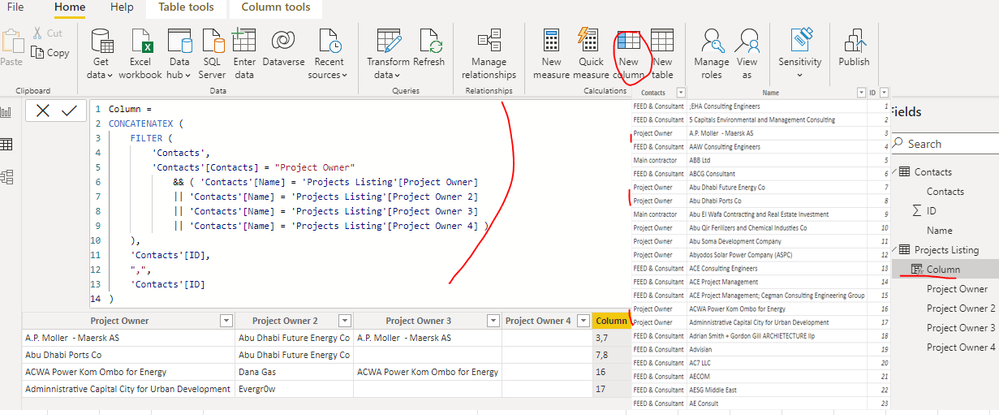
You can create a calculated column as below in the table 'Projects Listing' to get the ids:


Column = 
CONCATENATEX (
    FILTER (
        'Contacts',
        'Contacts'[Contacts] = "Project Owner"
            && ( 'Contacts'[Name] = 'Projects Listing'[Project Owner]
            || 'Contacts'[Name] = 'Projects Listing'[Project Owner 2]
            || 'Contacts'[Name] = 'Projects Listing'[Project Owner 3]
            || 'Contacts'[Name] = 'Projects Listing'[Project Owner 4] )
    ),
    'Contacts'[ID],
    ",",
    'Contacts'[ID]
)


yingyinr_0-1668567439396.png


If the above one can't help you get the desired result, please provide some sample data in your tables (exclude sensitive data) with Text format and your expected result with backend logic and special examples. It is better if you can share a simplified pbix file. You can refer the following link to upload the file to the community. Thank you.

How to upload PBI in Community

Best Regards

View solution in original post

2 REPLIES 2
Anonymous
Not applicable

Hi @Anonymous ,

You can create a calculated column as below in the table 'Projects Listing' to get the ids:


Column = 
CONCATENATEX (
    FILTER (
        'Contacts',
        'Contacts'[Contacts] = "Project Owner"
            && ( 'Contacts'[Name] = 'Projects Listing'[Project Owner]
            || 'Contacts'[Name] = 'Projects Listing'[Project Owner 2]
            || 'Contacts'[Name] = 'Projects Listing'[Project Owner 3]
            || 'Contacts'[Name] = 'Projects Listing'[Project Owner 4] )
    ),
    'Contacts'[ID],
    ",",
    'Contacts'[ID]
)


yingyinr_0-1668567439396.png


If the above one can't help you get the desired result, please provide some sample data in your tables (exclude sensitive data) with Text format and your expected result with backend logic and special examples. It is better if you can share a simplified pbix file. You can refer the following link to upload the file to the community. Thank you.

How to upload PBI in Community

Best Regards

Anonymous
Not applicable

hello, thank you for helping.

 But to be more clear what i want to do is that i have 4 columns for project owners each owner has a number of projects but the owner in project owner1 could be the same in project owner 3 but a different project so i want in the visual when i select an owner from any column gives me all the projects they are in.

i dont know if this is possible but anything close woud be huge help.

(the two pics are from the same table )

the table 'contacts' has all the owners distinct names but i cant connect them in the relationship page with the 4 project owner columns just one works


Screenshot 2022-11-20 114043.pngScreenshot 2022-11-20 114254.png

Helpful resources

Announcements
Power BI DataViz World Championships

Power BI Dataviz World Championships

The Power BI Data Visualization World Championships is back! Get ahead of the game and start preparing now!

November Power BI Update Carousel

Power BI Monthly Update - November 2025

Check out the November 2025 Power BI update to learn about new features.

FabCon Atlanta 2026 carousel

FabCon Atlanta 2026

Join us at FabCon Atlanta, March 16-20, for the ultimate Fabric, Power BI, AI and SQL community-led event. Save $200 with code FABCOMM.