cancel
Showing results for 
Search instead for 
Did you mean: 

The Power BI Data Visualization World Championships is back! Get ahead of the game and start preparing now! Learn more

Reply
Anonymous
Not applicable

Applied filters disappear once leaving a page

Hello there,


I'm struggling with this issue for a long time and so far I have not found any solution which can address it.


The issue is as follow: some filters simply disappear once I leave the particular page.


What I want to do is apply visual filter on particular visiual which I'm doing in filter pane and maintain it for myself and any other users / viewers.


To make it even more strange, I'm working on the file together with my collegue and his filters have no such problem.


I already made sure that I did not turn off persistent filters and have the latest version of Power BI.


Do you have any idea what might be the solution for my issue? If needed, I can record my screen to present the issue.


Thank you in advance.


1 ACCEPTED SOLUTION

@Anonymous,


You are navigating to pages using something to click on the dashboard(like the back button at left top) or using normal page navigation from bottom?

If its the first case, then you will have to check for bookmarking.

View solution in original post

6 REPLIES 6
amitchandak
Super User
Super User

@Anonymous , if go from one page two another filter will reset. You can sync filter if needed

https://docs.microsoft.com/en-us/power-bi/visuals/power-bi-visualization-slicers#sync-and-use-slicers-on-other-pages

Share with Power BI Enthusiasts: Full Power BI Video (20 Hours) YouTube
Microsoft Fabric Series 60+ Videos YouTube
Microsoft Fabric Hindi End to End YouTube
Pragati11
Super User
Super User

Hi @Anonymous ,


It will be nice to have some detailed screenshots on your issue. Kindly share them.


Thanks,

Pragati

Best Regards,

Pragati Jain


MVP logo


LinkedIn | Twitter | Blog YouTube 

Did I answer your question? Mark my post as a solution! This will help others on the forum!

Appreciate your Kudos!!

Proud to be a Super User!!

Anonymous
Not applicable

Hey, thanks for willing to help.

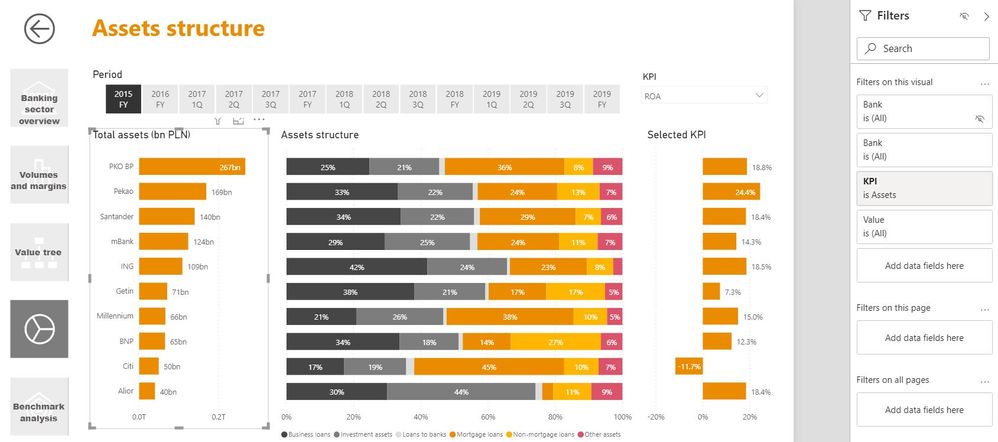
Let's focus on the chart on the left hand side:

1. Here's the view once I applied the filter:

Pic1.JPG

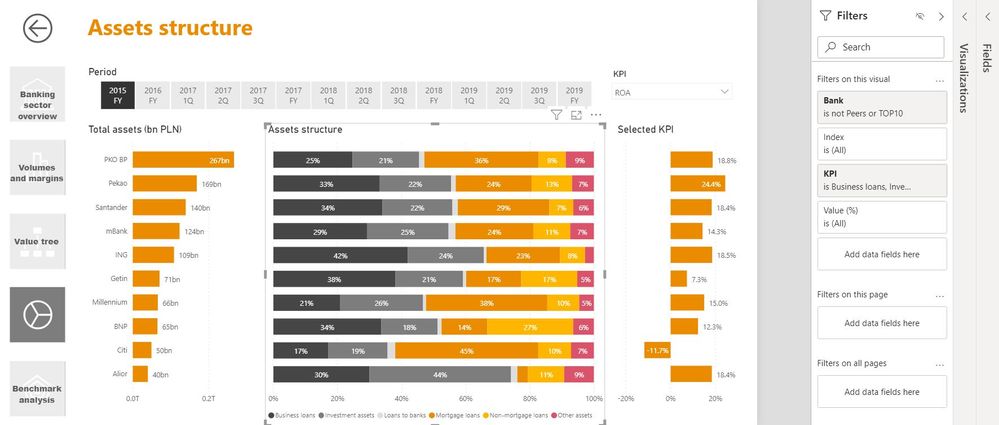
2. It's pretty much the same as the one for the middle chart:

pic2.JPG

3. Once I went to some other page and went back, here's what I see:

Pic3.JPG


Let me know if you need anything more. Kind regards

@Anonymous,


You are navigating to pages using something to click on the dashboard(like the back button at left top) or using normal page navigation from bottom?

If its the first case, then you will have to check for bookmarking.

Anonymous
Not applicable

Ok, got it. Great! Thank you a lot!

Hello, sorry how you solved it? I have the same situation, I navigate between pages with a bookmark panel.

Helpful resources

Announcements
Power BI DataViz World Championships

Power BI Dataviz World Championships

The Power BI Data Visualization World Championships is back! Get ahead of the game and start preparing now!

November Power BI Update Carousel

Power BI Monthly Update - November 2025

Check out the November 2025 Power BI update to learn about new features.

FabCon Atlanta 2026 carousel

FabCon Atlanta 2026

Join us at FabCon Atlanta, March 16-20, for the ultimate Fabric, Power BI, AI and SQL community-led event. Save $200 with code FABCOMM.