
Join us at FabCon Atlanta from March 16 - 20, 2026, for the ultimate Fabric, Power BI, AI and SQL community-led event. Save $200 with code FABCOMM.
Register now!The Power BI Data Visualization World Championships is back! Get ahead of the game and start preparing now! Learn more
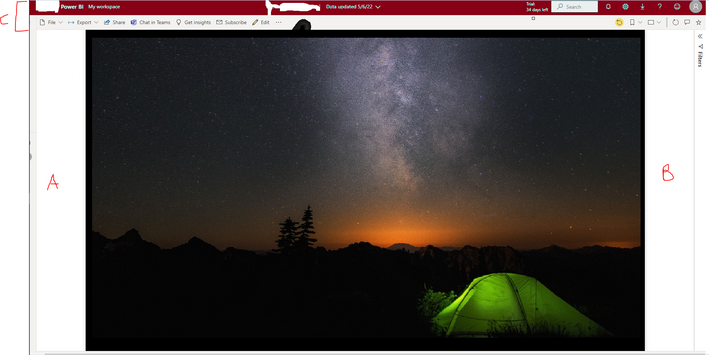
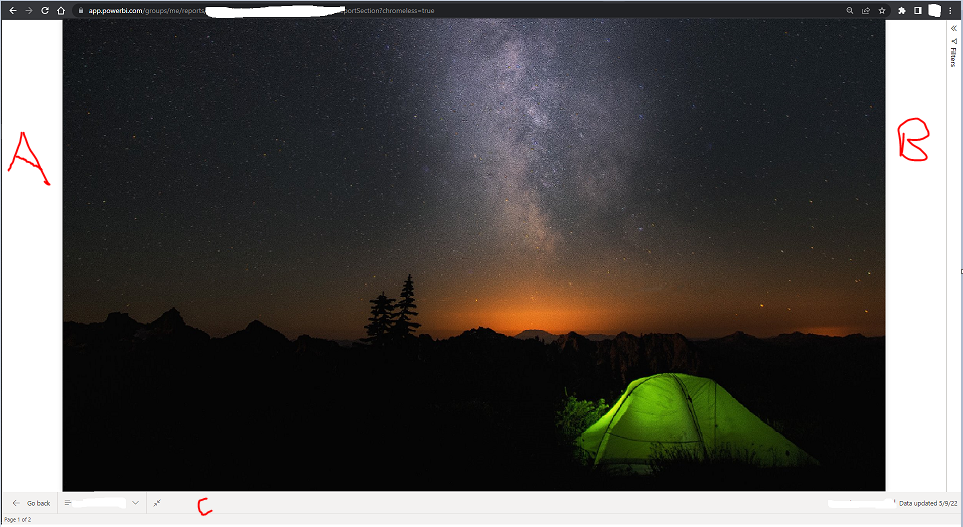
After publishing my dashboard from the desktop, the dashboard didn't display fullscreen.
Rather I have trailing spaces at both the end left and right also the workplace headers took 5% of the screen please how do I display fullscreen without having to manually click on View dropdown.
How do I eliminate A,B and C below?
Solved! Go to Solution.
I solved this myself, setting individual pages to fit width before publishing.
Hi @Anonymous ,
To render in Full Screen mode:
1. Add the string “?chromeless=1” to the end of the URL of the Power BI report. This will remove the Power BI menu navigations and only display the report.
2. Set your browser in Full Screen mode by pressing F11. This will hide the browser bar and the Windows taskbar.
If the problem is still not resolved, please provide detailed error information or the expected result you expect. Let me know immediately, looking forward to your reply.
Best Regards,
Winniz
If this post helps, then please consider Accept it as the solution to help the other members find it more quickly.
I solved this myself, setting individual pages to fit width before publishing.
Issue persists
shipshot
Hi @Anonymous ,
Hope you are well.
Have you resolved this issue?
Check out the November 2025 Power BI update to learn about new features.
Advance your Data & AI career with 50 days of live learning, contests, hands-on challenges, study groups & certifications and more!