cancel
Showing results for 
Search instead for 
Did you mean: 

The Power BI Data Visualization World Championships is back! Get ahead of the game and start preparing now! Learn more

Reply
AGT
Regular Visitor

Adding a decrease/increase column in Report section...?

Hello,


I am very, very new to Power BI and have been asked to provide a proof of concept of a excel report I create.  Had one days training but need more help!


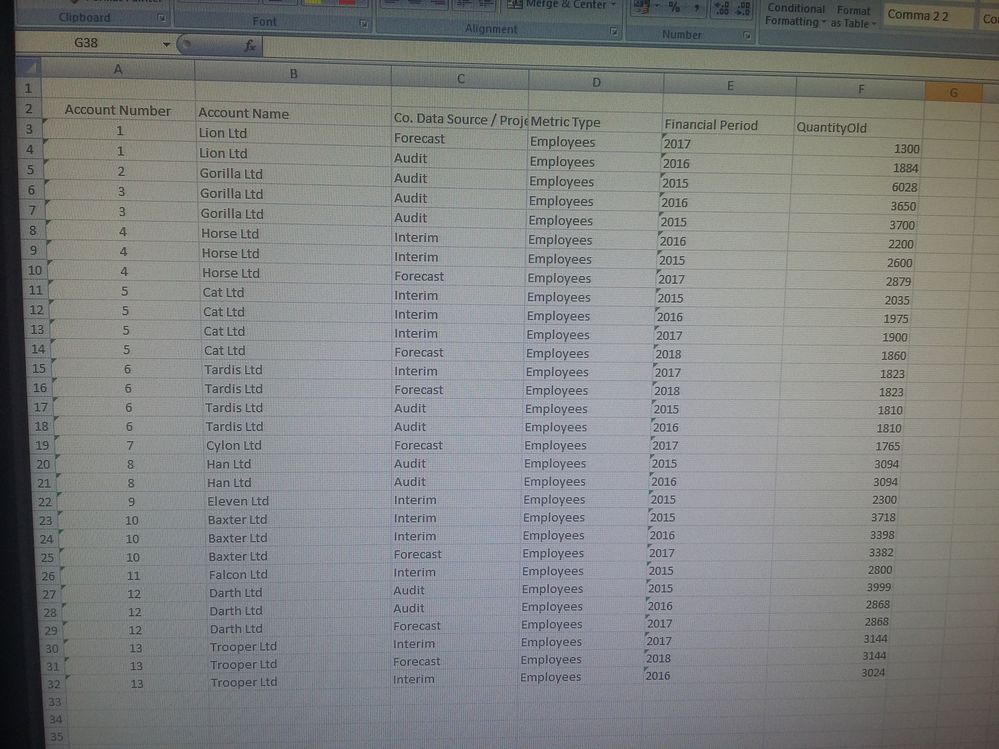
My data set is vertical based in that it has multiples of the same company/companies with different financial years scrolling down. Picture of fake data in the style of my real data for info.


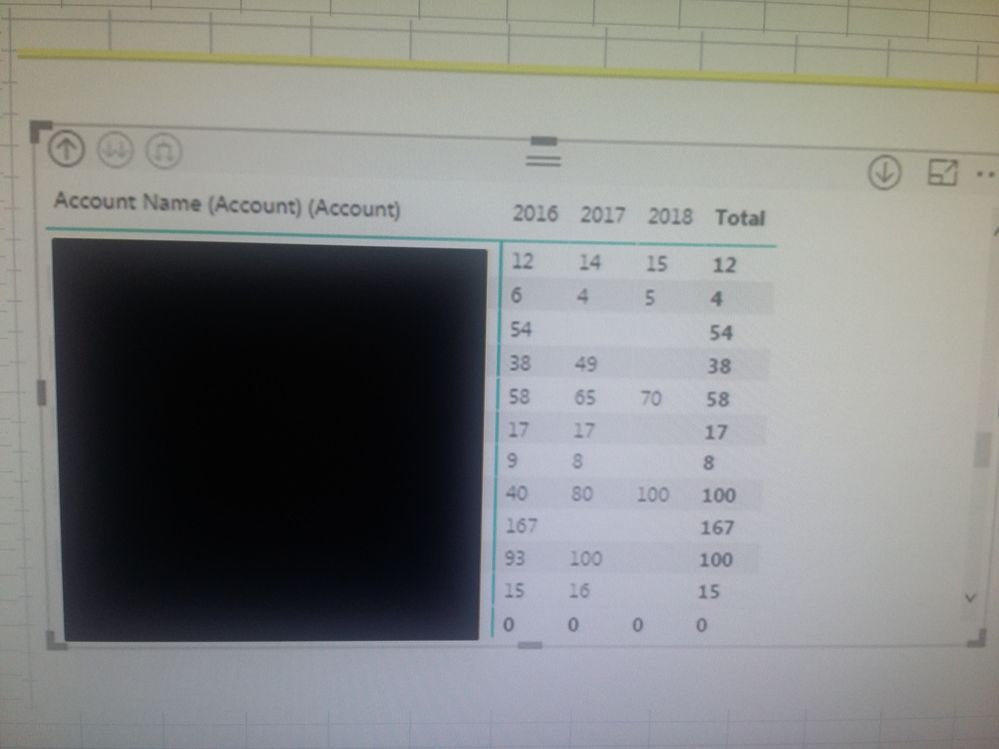
I have used a Matrix visualization to show the companies and their financial periods year to year, I have attached a screenshot of this, with the real company names blacked out, for info.


I need to insert a column in the Matrix visualization that shows either an increase or decrease in the figures per year, can you help??


I though this would be relatively easy but cannot seem to get it to work!!


If I can do this i can hopefully get my report completed without too much pain.

You are my only hope!!


AGT


Fake dataFake dataMatrix.jpg


4 REPLIES 4
Anonymous
Not applicable

Hi,

A quick solution if you only have that table and a POC in mind would be to move the period to rows and the create a measure like this:
(I assume that you have two quantity columns, one for current and one for old, if you only have one you can change the names and 2015 will be 0)

CHANGE =
IF(HASONEVALUE(Financial Period)
,SWITCH(VALUES(Financial Period))
,2015,DIVIDE(CALCULATE(SUM(QUANTITYNEW),Financial Period = 2015),CALCULATE(SUM(QUANTITOLD),Financial Period = 2015))
,2016,DIVIDE(CALCULATE(SUM(QUANTITYNEW),Financial Period = 2016)/CALCULATE(SUM(QUANTITOLD),Financial Period = 2016))
,2017,DIVIDE(CALCULATE(SUM(QUANTITYNEW),Financial Period = 2017)/CALCULATE(SUM(QUANTITOLD),Financial Period = 2017))
,2018,DIVIDE(CALCULATE(SUM(QUANTITYNEW),Financial Period = 2018)/CALCULATE(SUM(QUANTITOLD),Financial Period = 2018))
,BLANK()
)
,BLANK()
)

By doing this you will get a positive or a negative value to display the Increase/Decrease. 

If this doesnt work, please display your expected and wanted result in excel format as an example.


Best regards,

G

Hi G!


Thank you so much for your reply !


Unfortunately there is only one quantity column, would you be able to, if not too rude, to give me one example of the format you decribed here " if you only have one you can change the names and 2015 will be 0" , just so I can copy it for the others 🙂


The data being vertical is an issue as have to create a pivot to do the comparisons even in excel.


Thank you again.


Anonymous
Not applicable

Hi @AGT

I have uploaded an example .pbix solution here: 
Name: AGT_Solution

https://1drv.ms/u/s!AgUIGKdICZfnjhZsRIluDpIgOGVT

Please let me know if this helps you out.

Best regards,
G

Hi @AGT,


Share the link from where i can download your file.  Also, show the expected result.


Regards,
Ashish Mathur
http://www.ashishmathur.com
https://www.linkedin.com/in/excelenthusiasts/

Helpful resources

Announcements
Power BI DataViz World Championships

Power BI Dataviz World Championships

The Power BI Data Visualization World Championships is back! Get ahead of the game and start preparing now!

December 2025 Power BI Update Carousel

Power BI Monthly Update - December 2025

Check out the December 2025 Power BI Holiday Recap!

FabCon Atlanta 2026 carousel

FabCon Atlanta 2026

Join us at FabCon Atlanta, March 16-20, for the ultimate Fabric, Power BI, AI and SQL community-led event. Save $200 with code FABCOMM.