I have a dataset with a list of characteristics for colleges. I am trying to set up a visual that will allow me to filter the dataset based on a few metrics, but my measures are causing the data to look funny. For example, I have a simple table that allows me to toggle between private and public schools and their associated tech ratings.
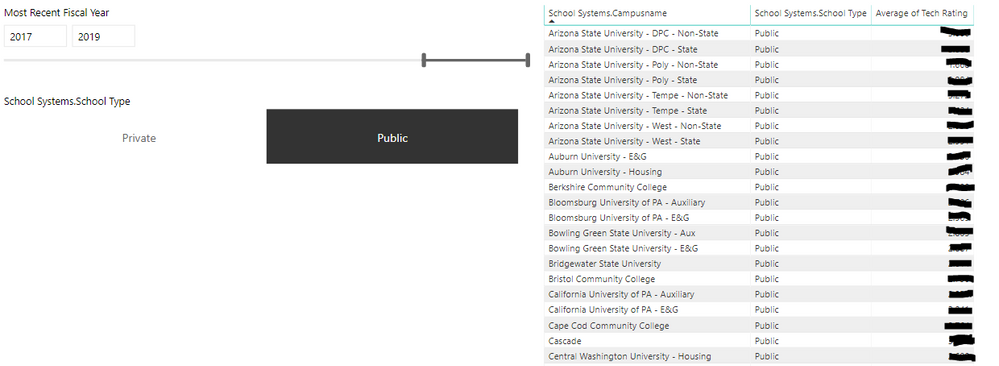
My issue is when I add the below measure, it doesn't matter which campus type I select, the table always displays all schools.
Tech Rating Ranking % =
VAR _rnk =
    MINX (
        FILTER (
            SELECTCOLUMNS (
                ALLSELECTED ( 'Space Profile EDD' ),
                "Index", 'Space Profile EDD'[School Systems.Campusname],
                "Rank", RANKX ( ALLSELECTED ( 'Space Profile EDD' ), 'Space Profile EDD'[Tech Rating],, DESC, SKIP )
            ),
            [Index] = MAX ( 'Space Profile EDD'[School Systems.Campusname] )
        ),
        [Rank]
    )
VAR _all =
    CALCULATE ( COUNTROWS ( VALUES ( 'Space Profile EDD'[School Systems.Campusname] ) ), ALLSELECTED ( 'Space Profile EDD' ) )
RETURN
    IF ( _all = 1, 1, DIVIDE ( _rnk - 1, _all - 1) )

How can I fix this so that I'm able to filter and still have the table include the measure?


