This time we’re going bigger than ever. Fabric, Power BI, SQL, AI and more. We're covering it all. You won't want to miss it.
Learn moreGet Fabric Certified for FREE during AI Skills Fest. This week only. Secure your voucher now.
I have two tables (Table A and Table B), Both tables have exactly the same columns and all columns except one column are decimal numbers. The tables are related via the one non-decimal column called names.
I want to add (sum) each column from Table A and Table B together to create a third Table C, with the one non-decimal number column, i.e.
Table C[Column 1] = (Table A[Column1] + Table B[Column1]) where Table A [Names] = Table B[Names].
Is this possible? if so, how do I do it?
Thanks
Phil
Solved! Go to Solution.
Hi @pburness
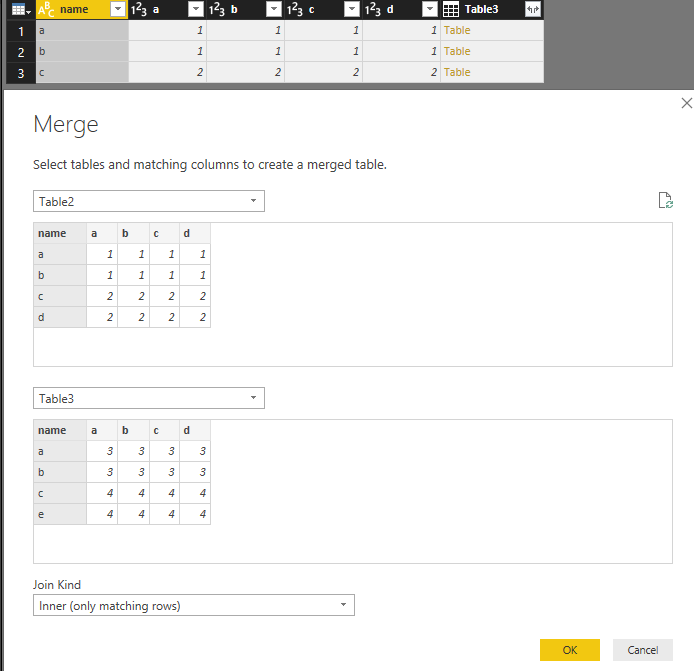
First, create a Merge Query as below.
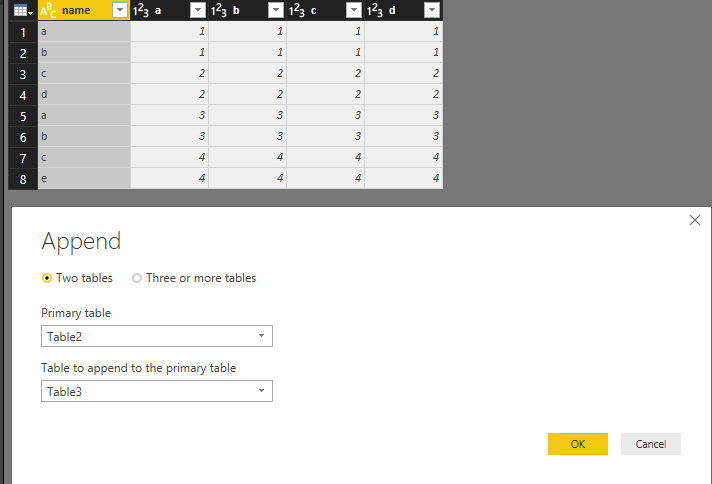
Then try to add an Append Query as below:
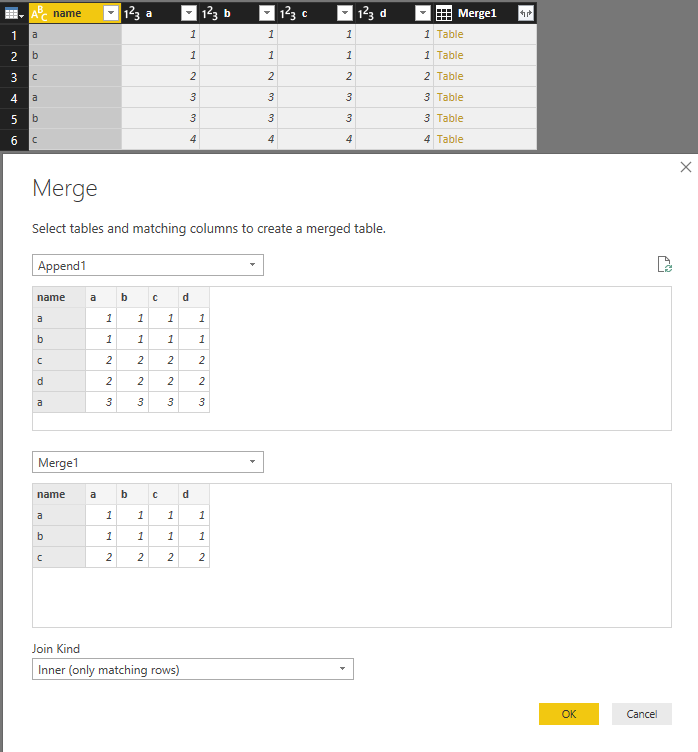
Then Merge the two queries as below and remove Table columns as requested.
Last, Group the new query as below. You may need to do it with M language in Advanced Editor.
Regards,
Cherie
Hi @pburness
First, create a Merge Query as below.
Then try to add an Append Query as below:
Then Merge the two queries as below and remove Table columns as requested.
Last, Group the new query as below. You may need to do it with M language in Advanced Editor.
Regards,
Cherie
Hi @pburness
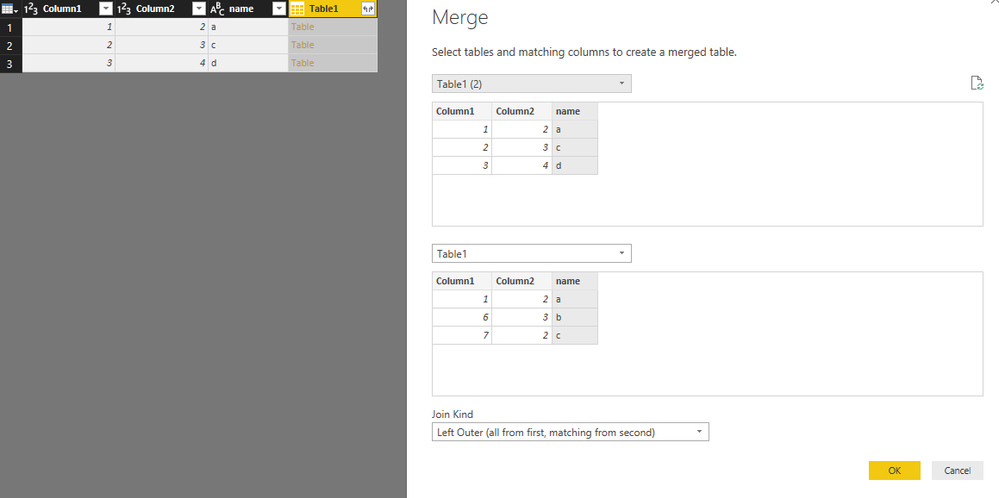
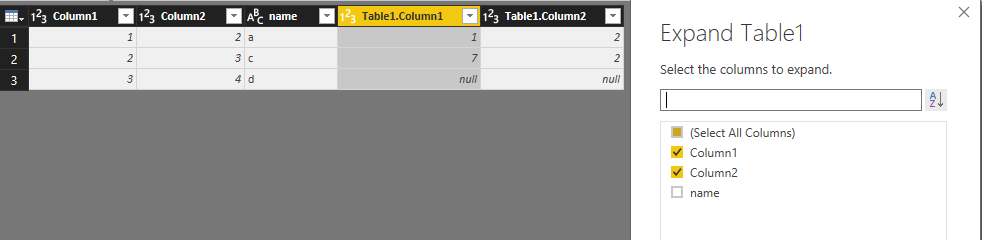
You may try to use Merge Queries in Query Editor as below.
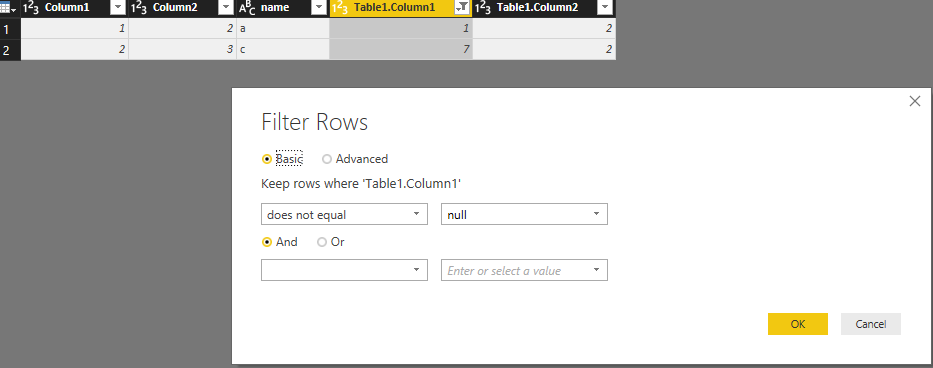
Then expend the table without name column and filter all values without the null values.
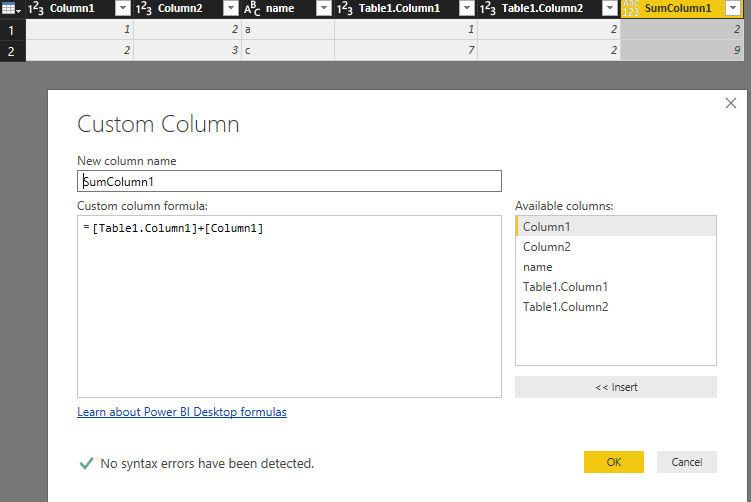
Create custom columns to sum the values from 2 table as requested.
Regards,
Cherie
Thanks Cherie,
This works, but I was hoping there was a way to automate the task. There are 80 columns in each table, so not a huge burden, but still a bit of a chore...
Phil
Check out the May 2026 Power BI update to learn about new features.
Sign up to receive a private message when registration opens and key events begin.
If you have recently started exploring Fabric, we'd love to hear how it's going. Your feedback can help with product improvements.
| User | Count |
|---|---|
| 25 | |
| 24 | |
| 22 | |
| 21 | |
| 19 |
| User | Count |
|---|---|
| 52 | |
| 48 | |
| 47 | |
| 22 | |
| 21 |