cancel
Showing results for 
Search instead for 
Did you mean: 

The Power BI Data Visualization World Championships is back! Get ahead of the game and start preparing now! Learn more

Reply
AnisAnalyst
Frequent Visitor

Add conditional rows

Hello,

Need help with the following please:


My aim is to split a row into few other rows based on a condition in power query Insert conditional rows.JPG
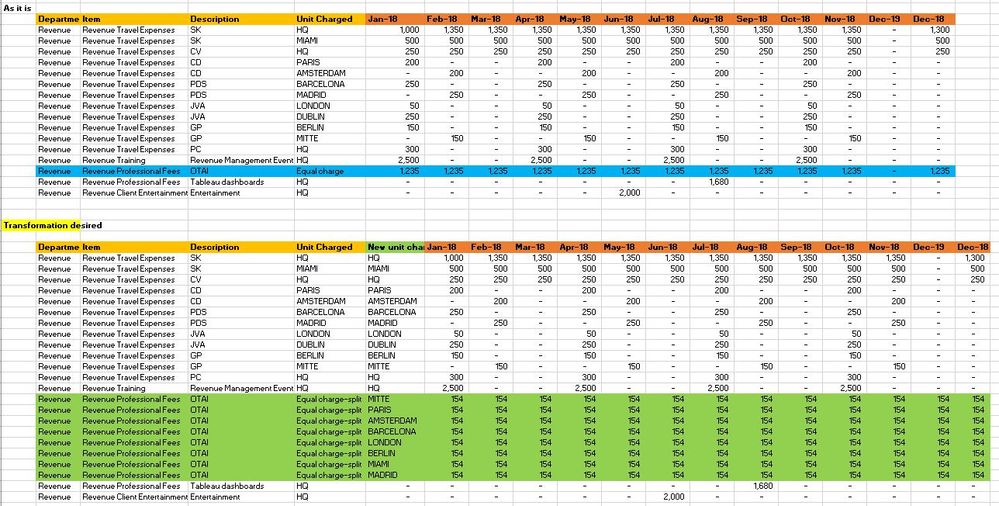
 

If cell content in column "Unit charge" = "Equal Charge"

    then insert 8 new rows

    input the following names in the adjacent column to the right named "New Unit charge": "MITTE", "PARIS", AMSTERDAM", "BARCELONA", "LONDON", "BERLIN", "MIAMI", "MADRID".

     then split the amount that was originly in the main row named "Eqauly Charge" into 8 equal portions.


     Finally, once this is done, I would like to rpevent rows with the content "Eqaul charge" to split again. so may be change the name of the Eqaul charge to "Eqaul charge-split"


If cell content in column "Unit charge" <> "Equal Charge" then copy the value into the column "New Unit Charge".


I have attached a template that shows the original data and the desired transformation. 


 Please let me know if you can help.


Thanks

1 REPLY 1
v-lili6-msft
Community Support
Community Support

Hi@ AnisAnalyst

After my research, you do these follow my steps like below:

Step 1:

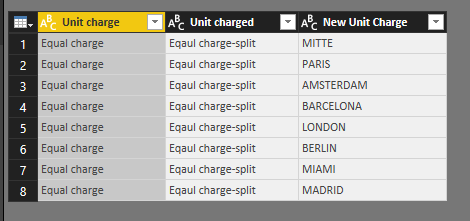
Enter a reference table like below

7.png

Step 2:

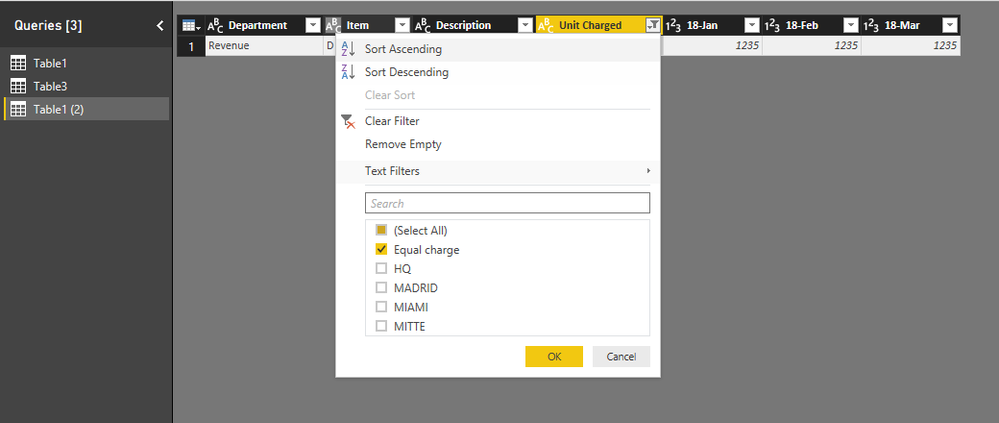
Duplicate the basic table and filter the duplicate table

8.png

Step 3:

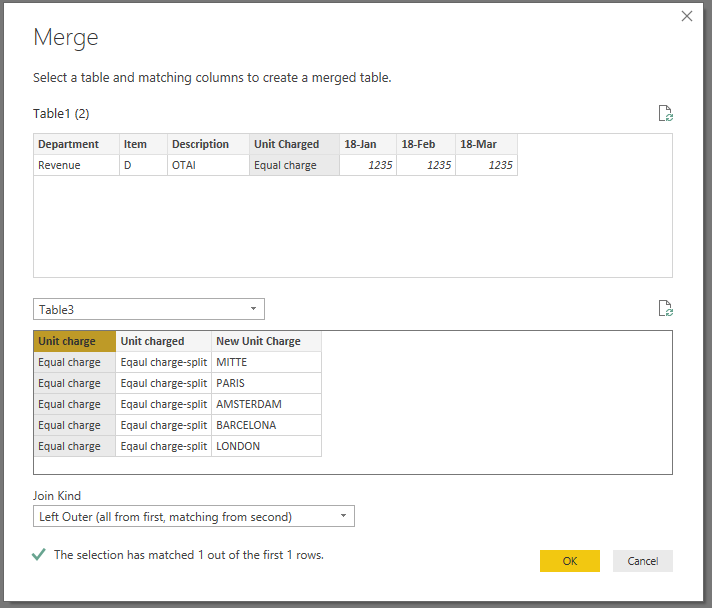
Merge duplicate table with reference table

9.png

And expand the table

10.png

Step 4:

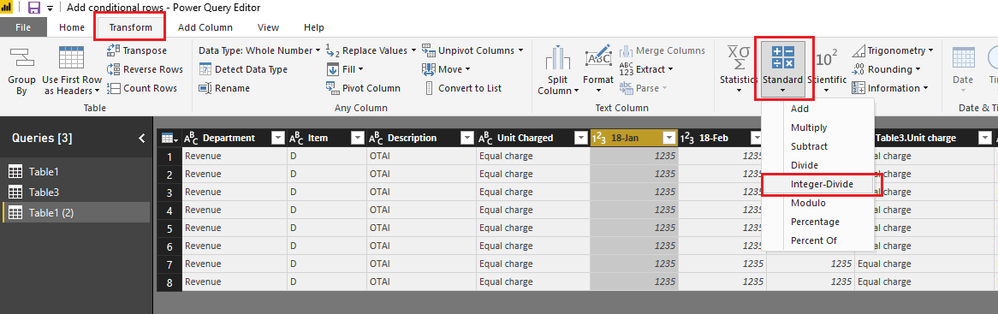
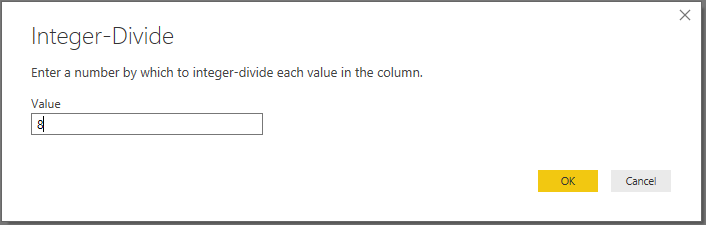
Select column 18-Jan and then click Transform ->Standard->Integer-Divide

11.png12.png

Do it by other columns in the same way.


Step 5 :

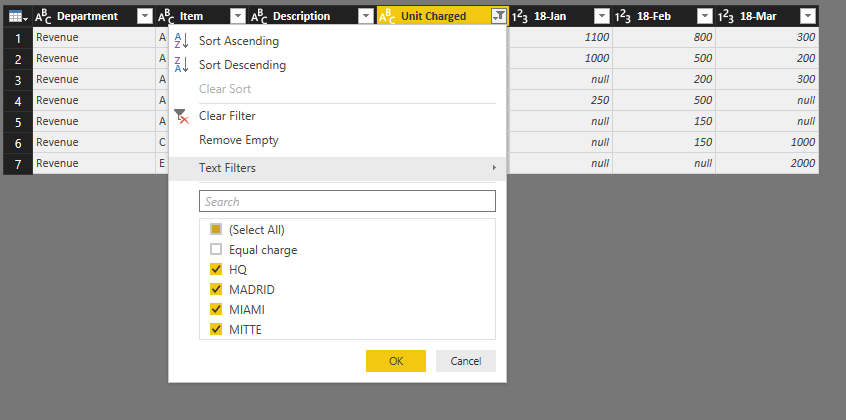
Filter basic

13.png

Step 6:

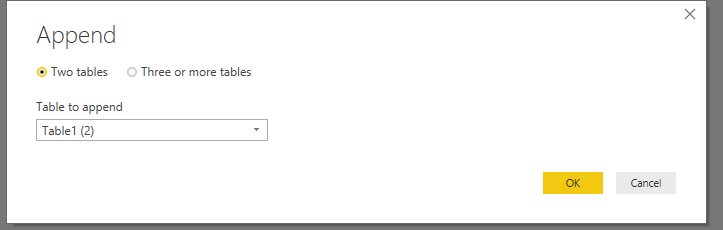
Append two table Home->Combine->Append Queries

14.png15.png

Close&Apply


Step 7:

Add two column

NEW Unit Charged = IF(Table1[Unit Charged]="Equal charge",Table1[Table3.Unit charged],Table1[Unit Charged])
New Unit Charge = IF(Table1[Unit Charged]="Equal charge",Table1[Table3.New Unit Charge],Table1[Unit Charged])

Result:

You could hide and rename other useless column

16.png

Here is Demo, try it please

https://www.dropbox.com/s/lgts0dpbxifp7lo/Add%20conditional%20rows.pbix?dl=0


Best Regards,

Lin

Community Support Team _ Lin
If this post helps, then please consider Accept it as the solution to help the other members find it more quickly.

Helpful resources

Announcements
Power BI DataViz World Championships

Power BI Dataviz World Championships

The Power BI Data Visualization World Championships is back! Get ahead of the game and start preparing now!

December 2025 Power BI Update Carousel

Power BI Monthly Update - December 2025

Check out the December 2025 Power BI Holiday Recap!

FabCon Atlanta 2026 carousel

FabCon Atlanta 2026

Join us at FabCon Atlanta, March 16-20, for the ultimate Fabric, Power BI, AI and SQL community-led event. Save $200 with code FABCOMM.