
Join us at FabCon Atlanta from March 16 - 20, 2026, for the ultimate Fabric, Power BI, AI and SQL community-led event. Save $200 with code FABCOMM.
Register now!The Power BI Data Visualization World Championships is back! It's time to submit your entry. Live now!
Hello,
Need help with the following please:
My aim is to split a row into few other rows based on a condition in power query
If cell content in column "Unit charge" = "Equal Charge"
then insert 8 new rows
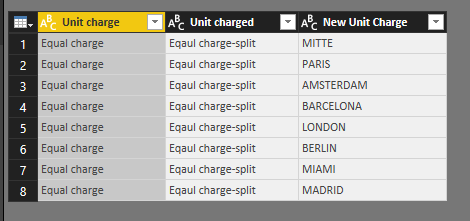
input the following names in the adjacent column to the right named "New Unit charge": "MITTE", "PARIS", AMSTERDAM", "BARCELONA", "LONDON", "BERLIN", "MIAMI", "MADRID".
then split the amount that was originly in the main row named "Eqauly Charge" into 8 equal portions.
Finally, once this is done, I would like to rpevent rows with the content "Eqaul charge" to split again. so may be change the name of the Eqaul charge to "Eqaul charge-split"
If cell content in column "Unit charge" <> "Equal Charge" then copy the value into the column "New Unit Charge".
I have attached a template that shows the original data and the desired transformation.
Please let me know if you can help.
Thanks
Hi@ AnisAnalyst
After my research, you do these follow my steps like below:
Step 1:
Enter a reference table like below
Step 2:
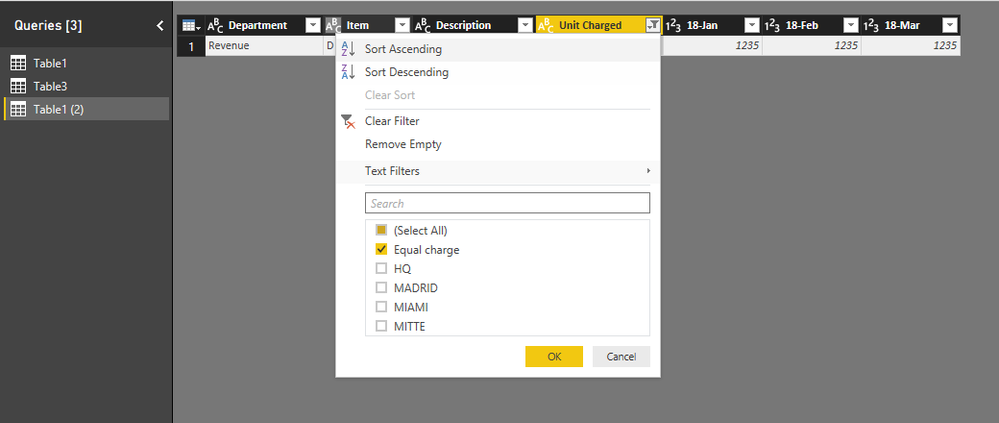
Duplicate the basic table and filter the duplicate table
Step 3:
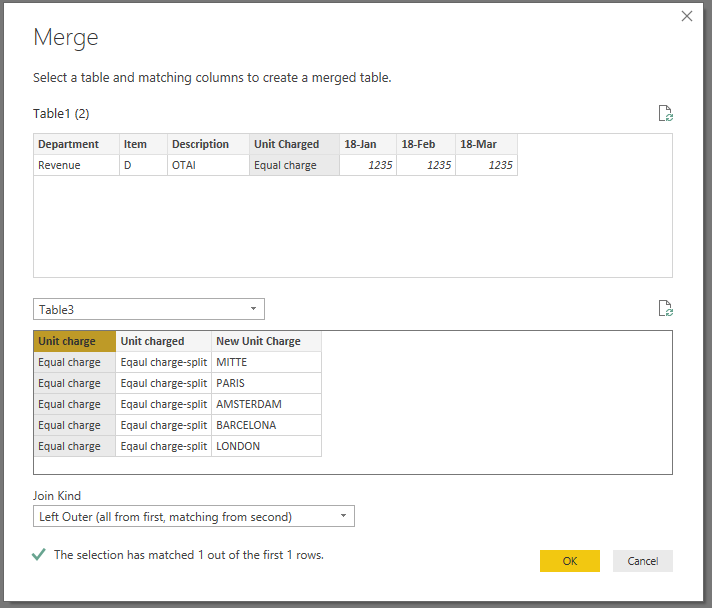
Merge duplicate table with reference table
And expand the table
Step 4:
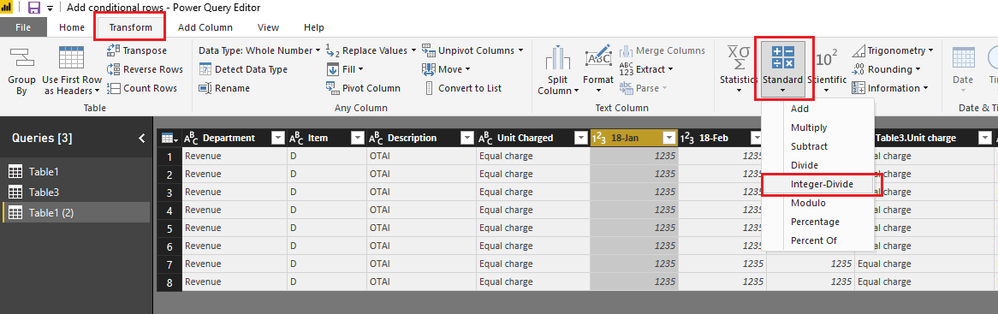
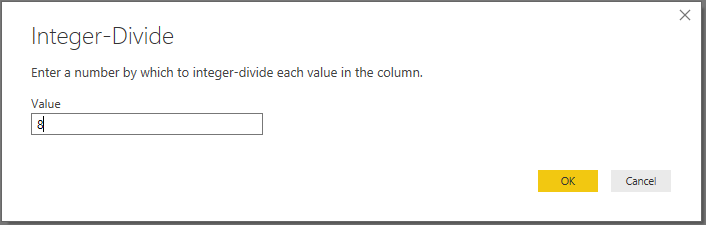
Select column 18-Jan and then click Transform ->Standard->Integer-Divide
Do it by other columns in the same way.
Step 5 :
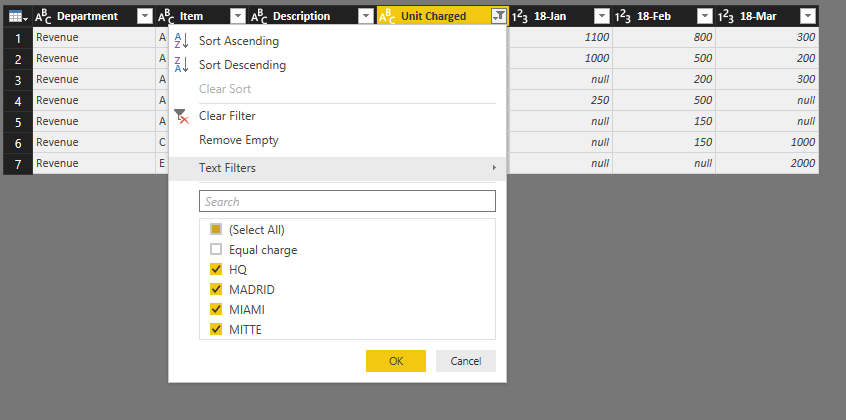
Filter basic
Step 6:
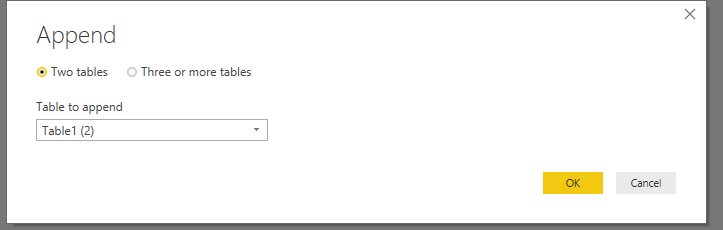
Append two table Home->Combine->Append Queries
Close&Apply
Step 7:
Add two column
NEW Unit Charged = IF(Table1[Unit Charged]="Equal charge",Table1[Table3.Unit charged],Table1[Unit Charged]) New Unit Charge = IF(Table1[Unit Charged]="Equal charge",Table1[Table3.New Unit Charge],Table1[Unit Charged])
Result:
You could hide and rename other useless column
Here is Demo, try it please
https://www.dropbox.com/s/lgts0dpbxifp7lo/Add%20conditional%20rows.pbix?dl=0
Best Regards,
Lin
The Power BI Data Visualization World Championships is back! It's time to submit your entry.
| User | Count |
|---|---|
| 47 | |
| 45 | |
| 33 | |
| 33 | |
| 30 |
| User | Count |
|---|---|
| 136 | |
| 116 | |
| 58 | |
| 58 | |
| 56 |