Join us at FabCon Atlanta from March 16 - 20, 2026, for the ultimate Fabric, Power BI, AI and SQL community-led event. Save $200 with code FABCOMM.
Register now!The Power BI Data Visualization World Championships is back! Get ahead of the game and start preparing now! Learn more
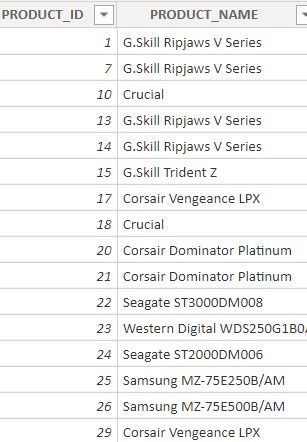
I have used Left() function to retreive left most characters
Solved! Go to Solution.
@sheetalshettiga
When you use a measure, you cannot access a value/column directly, it has to be covered by a function. If you are adding a column in a table then it is possible to directly refer without such functions as you are in a row context. This also applies when you use iteration functions such as SUMX, MAXX, and so on.
Hope it made it clear?
________________________
If my answer was helpful, please consider Accept it as the solution to help the other members find it
Click on the Thumbs-Up icon if you like this reply 🙂
⭕ Subscribe and learn Power BI from these videos
⚪ Website ⚪ LinkedIn ⚪ PBI User Group
@sheetalshettiga
When you use a measure, you cannot access a value/column directly, it has to be covered by a function. If you are adding a column in a table then it is possible to directly refer without such functions as you are in a row context. This also applies when you use iteration functions such as SUMX, MAXX, and so on.
Hope it made it clear?
________________________
If my answer was helpful, please consider Accept it as the solution to help the other members find it
Click on the Thumbs-Up icon if you like this reply 🙂
⭕ Subscribe and learn Power BI from these videos
⚪ Website ⚪ LinkedIn ⚪ PBI User Group
So what aggregation should I use while referring to any column in any of the dax functions ? @Fowmy
@sheetalshettiga
You can use MAX or SELECTEDVALUE
________________________
If my answer was helpful, please consider Accept it as the solution to help the other members find it
Click on the Thumbs-Up icon if you like this reply 🙂
⭕ Subscribe and learn Power BI from these videos
⚪ Website ⚪ LinkedIn ⚪ PBI User Group
The Power BI Data Visualization World Championships is back! Get ahead of the game and start preparing now!
Check out the November 2025 Power BI update to learn about new features.
| User | Count |
|---|---|
| 20 | |
| 11 | |
| 10 | |
| 4 | |
| 4 |
| User | Count |
|---|---|
| 34 | |
| 32 | |
| 19 | |
| 12 | |
| 10 |