cancel
Showing results for 
Search instead for 
Did you mean: 

The Power BI Data Visualization World Championships is back! Get ahead of the game and start preparing now! Learn more

Reply
Anonymous
Not applicable

To select multiple values from slicer : customised

Hi,


I have a table with attributes of customer.  I have a customised slicer to get the count of rows where the value is > 0:-

I have used the column name :- no. of prod1 only,no. of prod2 only, no. of prod 1 and 2, no. of other as slicer. (I don't want to unpivot the table)


TableA-

IDno. of prod1 onlyno. of prod2 onlyno. of prod 1 and 2no. of otherOnline
11000Y
21002Y
31000Y
41110N
51000N
61000Y
71205Y
81000N
91000Y


I have made a table for slicer and there is no relationship between the tables:-

Custom_slicer

Slicer

no. of prod1 only
no. of prod2 only
no. of prod 1 and 2
no. of other


Dynamic column =

var _selectedfunction=SELECTEDVALUE(Custom_slicer[Slicer])
return
SWITCH(
_selectedfunction,
"no. of prod1 only", COUNTROWS(CALCULATETABLE(TableA,TableA[no. of prod1 only] >0)),
"no. of prod2 only", COUNTROWS(CALCULATETABLE(TableA,TableA[no. of prod2 only] >0)) ,
"no. of prod 1 and 2", COUNTROWS(CALCULATETABLE(TableA,TableA[no. of prod 1 and 2] >0)),
"no. of other", COUNTROWS(CALCULATETABLE(TableA,TableA[no. of other] >0)),
BLANK()
)



pic1st.JPGPic2nd.JPG


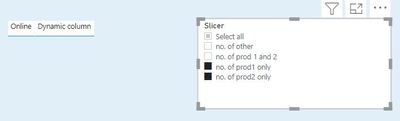
Currently, it is able to display the count if only  one value is selected in the slicer. But when I try to select multiple values it is giving blank. I know it is because of SELECTEDVALUE.  I searched through the forum but didn't get similar problem. Any idea how to get this to work?

Any help would much appreciated.


1 ACCEPTED SOLUTION
Fowmy
Super User
Super User

@Anonymous 

You can try this way:

Dynamic column = 
var _selectedfunction=VALUES(Custom_slicer[Slicer])
return
    if( "no. of prod1 only" in _selectedfunction , COUNTROWS(CALCULATETABLE(TableA,TableA[no. of prod1 only] >0)))+
    if( "no. of prod2 only"  in _selectedfunction , COUNTROWS(CALCULATETABLE(TableA,TableA[no. of prod2 only] >0))) +
    if( "no. of prod 1 and 2"  in _selectedfunction , COUNTROWS(CALCULATETABLE(TableA,TableA[no. of prod 1 and 2] >0)))+
    IF( "no. of other"  in _selectedfunction , COUNTROWS(CALCULATETABLE(TableA,TableA[no. of other] >0)))

Did I answer your question? Mark my post as a solution! and hit thumbs up


Subscribe and learn Power BI from these videos

Website LinkedIn PBI User Group

View solution in original post

1 REPLY 1
Fowmy
Super User
Super User

@Anonymous 

You can try this way:

Dynamic column = 
var _selectedfunction=VALUES(Custom_slicer[Slicer])
return
    if( "no. of prod1 only" in _selectedfunction , COUNTROWS(CALCULATETABLE(TableA,TableA[no. of prod1 only] >0)))+
    if( "no. of prod2 only"  in _selectedfunction , COUNTROWS(CALCULATETABLE(TableA,TableA[no. of prod2 only] >0))) +
    if( "no. of prod 1 and 2"  in _selectedfunction , COUNTROWS(CALCULATETABLE(TableA,TableA[no. of prod 1 and 2] >0)))+
    IF( "no. of other"  in _selectedfunction , COUNTROWS(CALCULATETABLE(TableA,TableA[no. of other] >0)))

Did I answer your question? Mark my post as a solution! and hit thumbs up


Subscribe and learn Power BI from these videos

Website LinkedIn PBI User Group

Helpful resources

Announcements
Power BI DataViz World Championships

Power BI Dataviz World Championships

The Power BI Data Visualization World Championships is back! Get ahead of the game and start preparing now!

November Power BI Update Carousel

Power BI Monthly Update - November 2025

Check out the November 2025 Power BI update to learn about new features.

FabCon Atlanta 2026 carousel

FabCon Atlanta 2026

Join us at FabCon Atlanta, March 16-20, for the ultimate Fabric, Power BI, AI and SQL community-led event. Save $200 with code FABCOMM.