Join us at FabCon Atlanta from March 16 - 20, 2026, for the ultimate Fabric, Power BI, AI and SQL community-led event. Save $200 with code FABCOMM.
Register now!The Power BI Data Visualization World Championships is back! Get ahead of the game and start preparing now! Learn more
Hi Team,
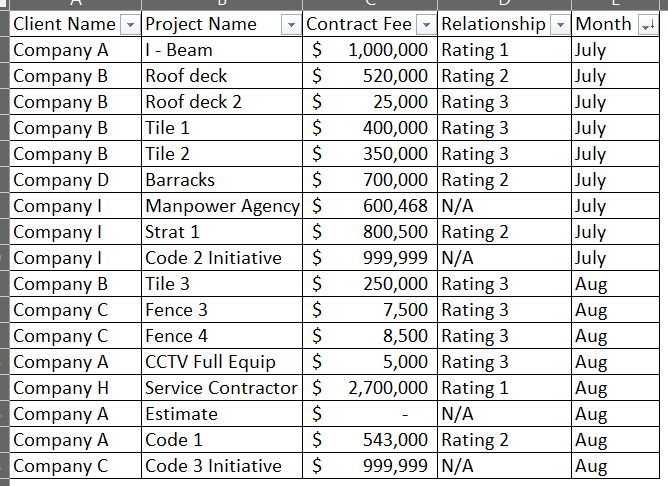
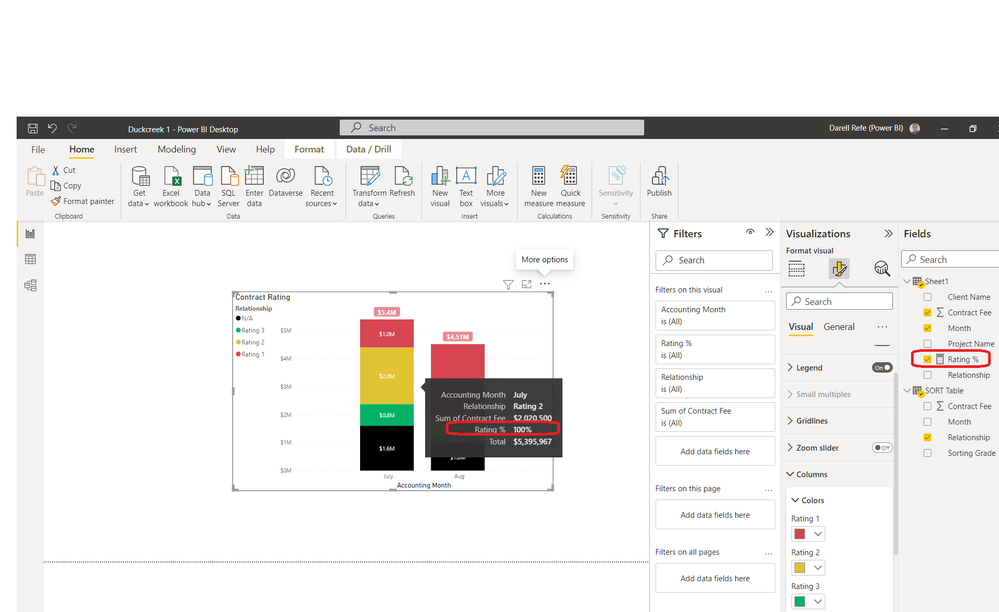
I have this dilemma for stacked column bar. I have this visual where the contract and client has rating based on fees and scopes. As I learn from here you can create a measure that you can put on the tooltip to indicate the percentage of relationship.Source file
I created a measure that I can use on the tool tip. Unfortunate my boss wants the category to be in Rating 1, Rating 2, Rating 3 and N/A. (by default BI is treating it alphabetically
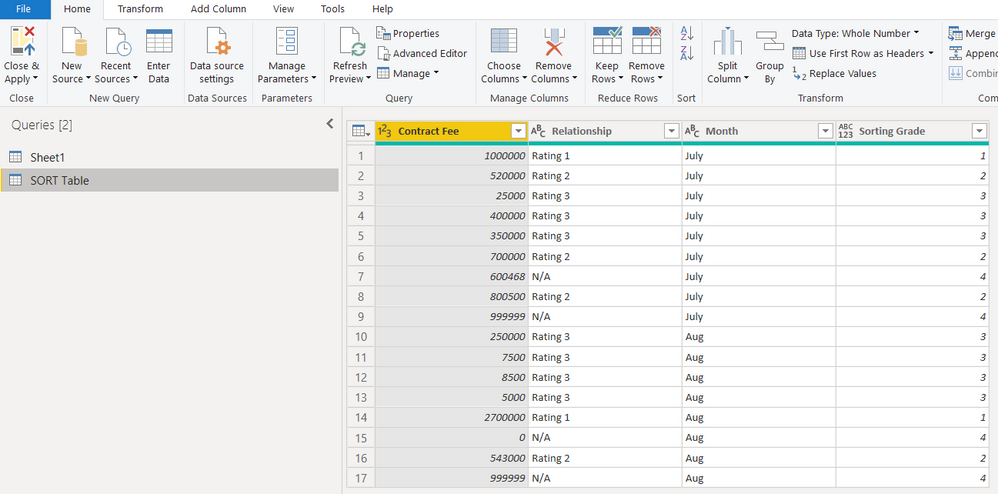
From my previous experience on fiscal month reporting, I created duplicate table so I can have sorting table.
Created a conditional column
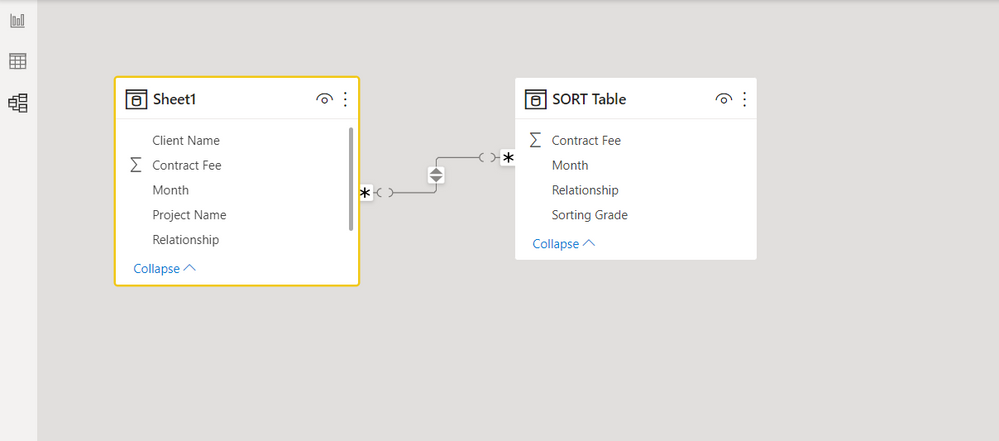
Create a relationship from the first table
and the Rating % measure goes broken
@Das2020 , try this
in sheet1 table create new column for sorting purpose
sort_rating= switch(true(),
sheet1[relationship]="rating 1",1,
sheet1[relationship]="rating 2",2,
sheet1[relationship]="rating 3",3,"NA")
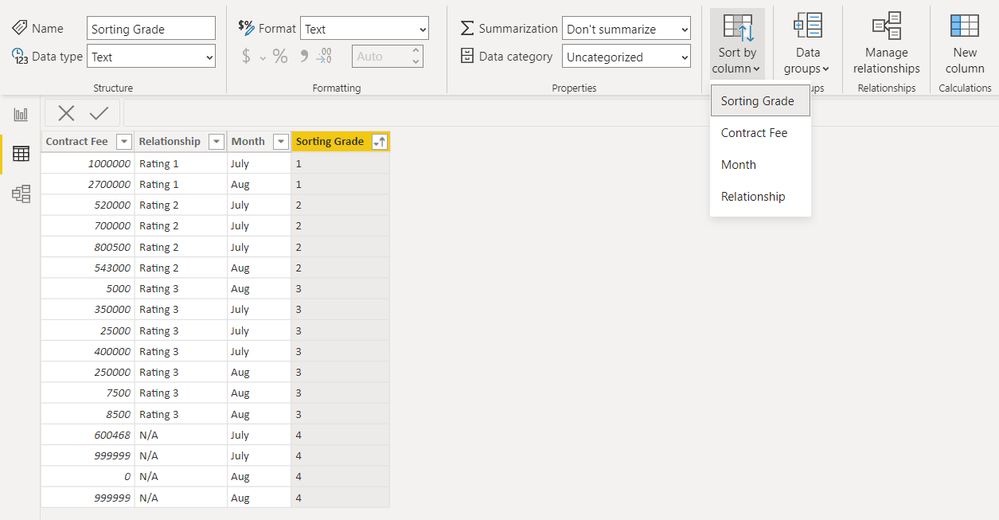
and sort relationship on the basis of sort_rating column by asc order.
I hope this will work for you. Thank you
I also did a similar but using conditional formating from query editor, yes this will sort the relationship but the measure that I created for tooltip will result in all 100% regardless if it's Rating 1, Rating 2, Rating 3 or N/A. Just wondering what can I adjust from the Rating % measure
The Power BI Data Visualization World Championships is back! Get ahead of the game and start preparing now!
| User | Count |
|---|---|
| 14 | |
| 7 | |
| 4 | |
| 4 | |
| 3 |
| User | Count |
|---|---|
| 23 | |
| 10 | |
| 10 | |
| 6 | |
| 5 |