Join us at FabCon Atlanta from March 16 - 20, 2026, for the ultimate Fabric, Power BI, AI and SQL community-led event. Save $200 with code FABCOMM.
Register now!The Power BI Data Visualization World Championships is back! Get ahead of the game and start preparing now! Learn more
Hello, everybody,
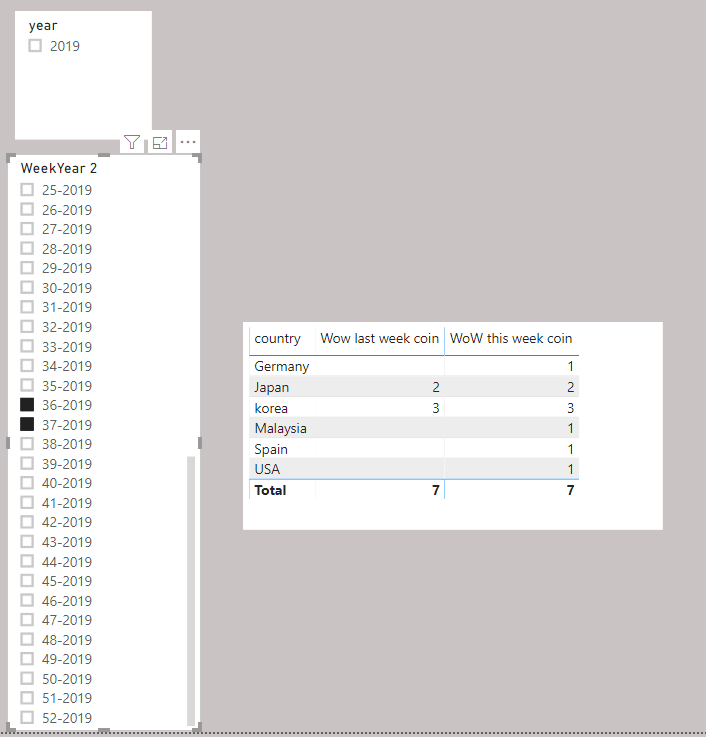
I created weekly coin sales and showing this week and previous week coin sales. Now to see both week, we need to click two weeks in a slicer part.
But my customer wants to click just once on a filter choosing just one week, previous week appear automatically.
Is there any method to click just one and see with previous week cooin sales as well?
Thank you always.
hi @Anonymous ,
Please use the below Dax formula to make new MEASURE to calculate last week sale.
lastWeek_Sales =
VAR WeekNum_LastWeek =
WEEKNUM ( TODAY () ) - 1
RETURN
CALCULATE (
SUM ( 'table'[Sale] ),
WEEKNUM ( 'Table'[Date] ) = WeekNum_LastWeek
)
You can use this measure too show last week count when this week filter is selected.
do not hesitate to give a kudo to useful posts and mark solutions as solution.
Regards,
Gaurav Raj Singh
LinkedIN : https://www.linkedin.com/in/gauravrajsingh/
The Power BI Data Visualization World Championships is back! Get ahead of the game and start preparing now!
Check out the November 2025 Power BI update to learn about new features.
| User | Count |
|---|---|
| 20 | |
| 10 | |
| 9 | |
| 4 | |
| 4 |
| User | Count |
|---|---|
| 34 | |
| 31 | |
| 20 | |
| 12 | |
| 11 |