Join us at FabCon Atlanta from March 16 - 20, 2026, for the ultimate Fabric, Power BI, AI and SQL community-led event. Save $200 with code FABCOMM.
Register now!The Power BI Data Visualization World Championships is back! Get ahead of the game and start preparing now! Learn more
Dear Guys,
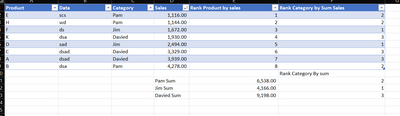
kindly note i have calculated table which is i summerize sales by product name in it, so fine so far
after this i used new column to calculate a column
any help?!
Solved! Go to Solution.
i found my solution
Total Sales = SUM([Sales])
Category Ranks = RANKX(ALL('Table'),[Total Sales],Desc)
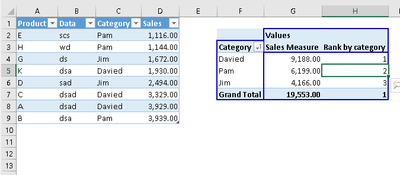
Hi @Amrselim1989 your measure to rank sales by category could be
Rank by category=RANKX(ALL(Table1[Category]); CALCULATE(SUM(Table1[Sales]));;DESC)
Adjust Table1 to your table name
If this post helps, then please consider Accept it as the solution to help the other members find it more quickly.
Proud to be a Super User!
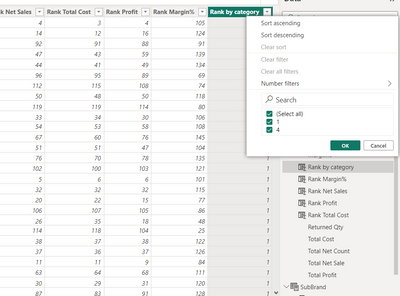
unfortunately, it doesn't work, it only gives me two values instead of four.
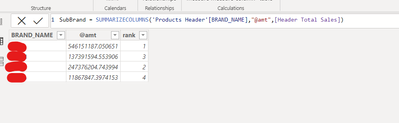
there a screen shot if i make a sperate table for brand and i ranked it
but i can't rank it in the details table based on the summation of brand sales
any help??!
Hi @Amrselim1989 my solution is measure. Go to your pivot table and put this measure into pivot table and check results.
Proud to be a Super User!
i found my solution
No, i don't want it as a measure it must be a calculated column, it must be a calculated column for other purposes
thank you for your patience.
The Power BI Data Visualization World Championships is back! Get ahead of the game and start preparing now!
| User | Count |
|---|---|
| 19 | |
| 14 | |
| 7 | |
| 5 | |
| 5 |
| User | Count |
|---|---|
| 29 | |
| 18 | |
| 17 | |
| 11 | |
| 10 |