cancel
Showing results for 
Search instead for 
Did you mean: 

Learn from the best! Meet the four finalists headed to the FINALS of the Power BI Dataviz World Championships! Register now

Reply

Problem With DAX Evaluate Command

I'm trying to evaluate DAX command via DAX Studio on Attached Model

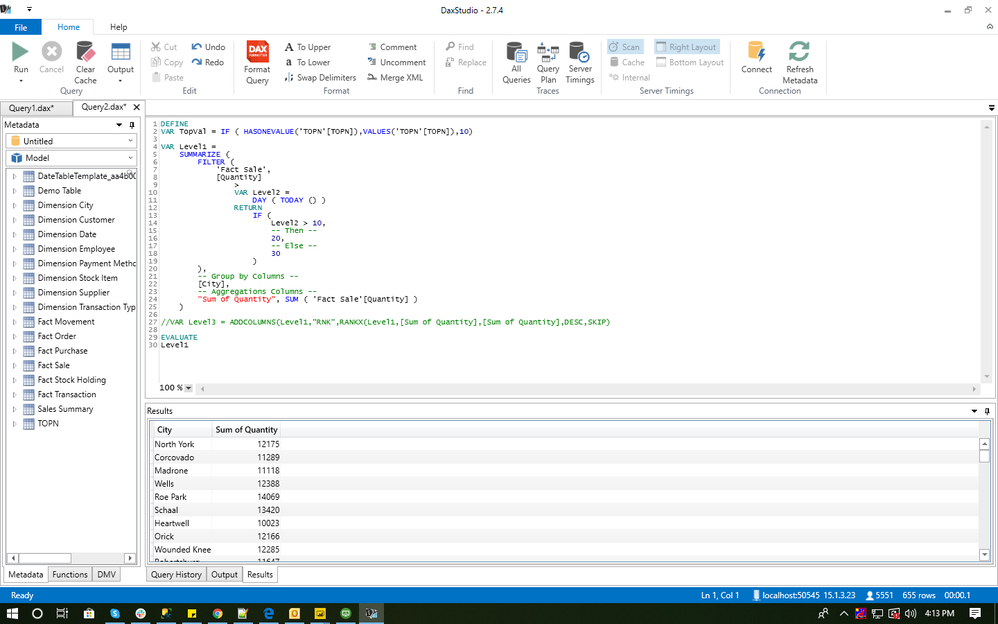
Table Level1 is able to be evaluated only after commenting var Level3.

SS BELOW

EVALUATE LEVEL 1EVALUATE LEVEL 1

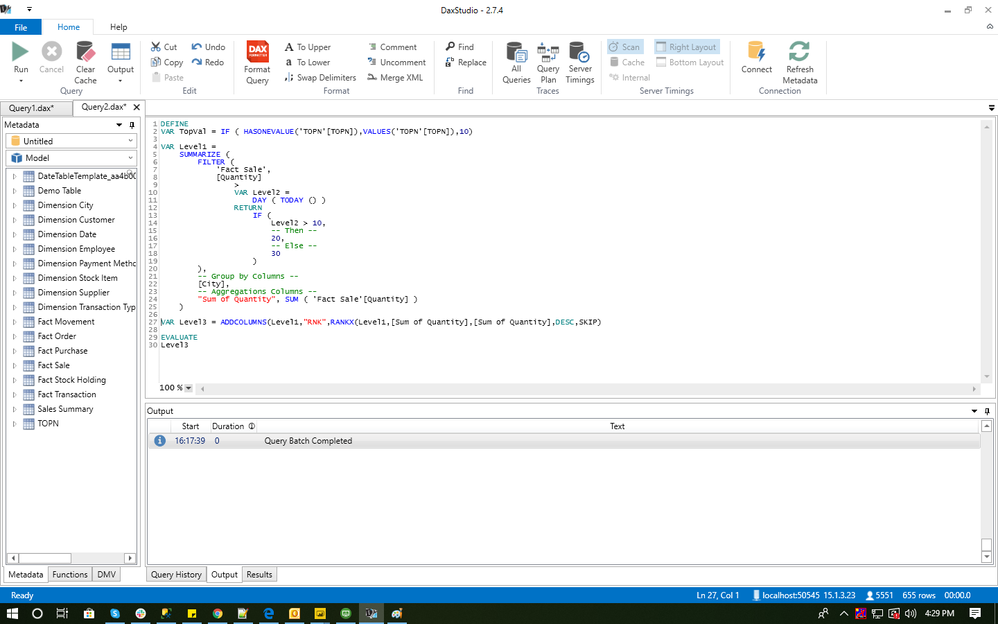
Table Level3 is not evaluating

SS BELOW

EVALUATING LEVEL3EVALUATING LEVEL3


Questions:

  1. Why i need to comment Level3  variable to evaluate Level1?
  2. Why Level3 is not evaluating ?

Thanks,

Harry

4 REPLIES 4
vishanshul
Frequent Visitor

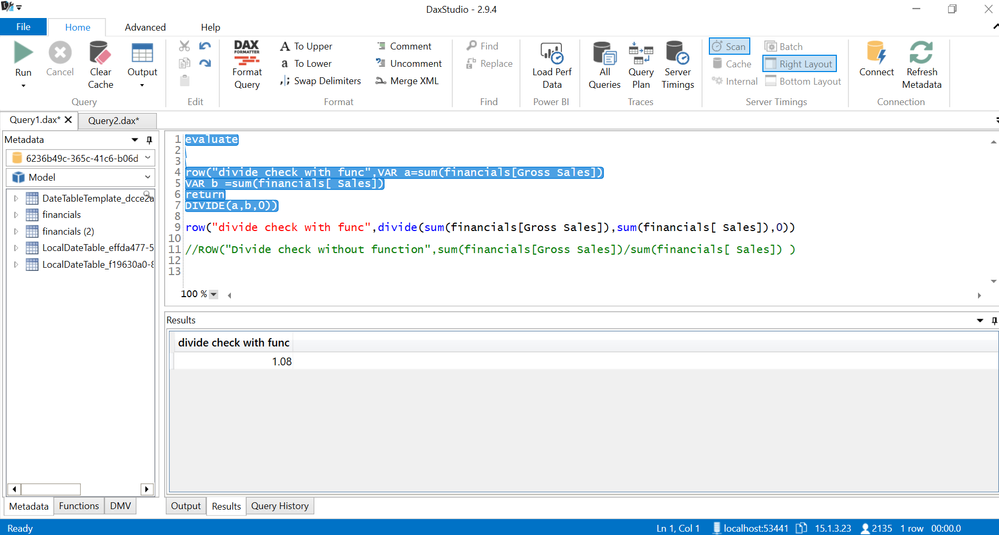
For Evaluate Level 3 just select the var level 3 and evaluate level 3. Like we do in SQL select the statement and execute it. 

Solution.PNG

Please accept it as a solution if it solves your problem.


Thanks,

Vishal Gupta

Hi @vishanshul ,


I'm doing same thing i believe, check the second screenshot.

Level3 var depends on level1 and finanlly evaluating only level3.


Please , Let me know if i'm missing something.

Thanks,

Harry

AlB
Community Champion
Community Champion

Hi @HarsimranPWRBI 

The file cannot be accessed. It requests a login.


Hi @AlB 


I've updated the file please check again and let me know.


Thanks,

Harry

Helpful resources

Announcements
Join our Fabric User Panel

Join our Fabric User Panel

Share feedback directly with Fabric product managers, participate in targeted research studies and influence the Fabric roadmap.

February Power BI Update Carousel

Power BI Monthly Update - February 2026

Check out the February 2026 Power BI update to learn about new features.

FabCon Atlanta 2026 carousel

FabCon Atlanta 2026

Join us at FabCon Atlanta, March 16-20, for the ultimate Fabric, Power BI, AI and SQL community-led event. Save $200 with code FABCOMM.