Hi there.
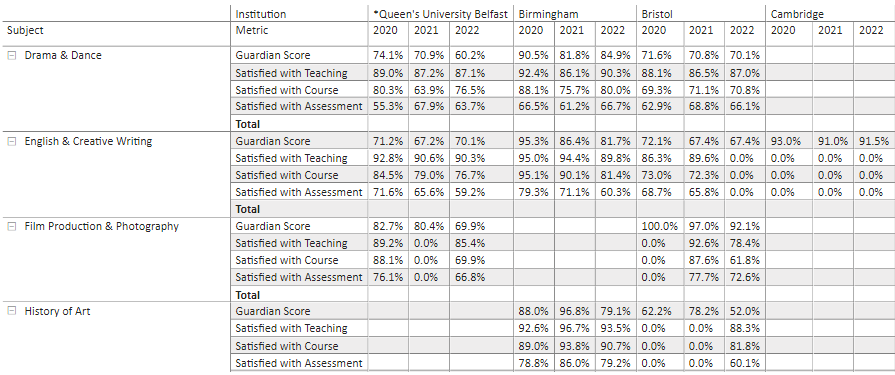
When building a report, I had a number of values within the dataset that varied - some percentages, some decimals, others whole numbers. The only way that I could manage to get to display them all in a matrix was to use some SWITCH Dax...
Formatted Value (Headline) =
VAR Val = SUM ( 'Guardian Master (Unpivoted)'[Value] )
RETURN
SWITCH (
SELECTEDVALUE ( 'Attribute Sort Order 2'[Attribute] ),
"Guardian Score", FORMAT ( Val, "0.0%" ), "Satisfied with Teaching", FORMAT ( Val, "0.0%" ), "Satisfied with Course", FORMAT( Val, "0.0%"), "Continuation", format (Val, "0.0%"), "Expenditure per Student (FTE)", format (Val, "0"), "Career Prospects", format (Val, "0.0%"), "Average Entry Tariff", format(Val,"0"), "Satisfied with Assessment", format (Val, "0.0%" ), "Student:Staff Ratio", format (Val, "0.0"), "Value Added Score", format (Val,"0")
)
Now I have found that because the Measure is formatted as Text, I'm unable to drop that Measure into the Value field of any chart.
When I try to drop in the original value, then generally incorrect values are output, as these were all decimals. So in the DAX example above,
'Guardian Score' outputs as a decimal, rather than a percentage.
What I need to be able to do is hopefully drop in a Measure to a value field that outputs the formats in the DAX above - can anyone advise a way of amending the DAX to achieve this, or suggest another method that would achieve the same result.
Example of how this is displayed in a matrix..