Join us at FabCon Atlanta from March 16 - 20, 2026, for the ultimate Fabric, Power BI, AI and SQL community-led event. Save $200 with code FABCOMM.
Register now!The Power BI Data Visualization World Championships is back! Get ahead of the game and start preparing now! Learn more
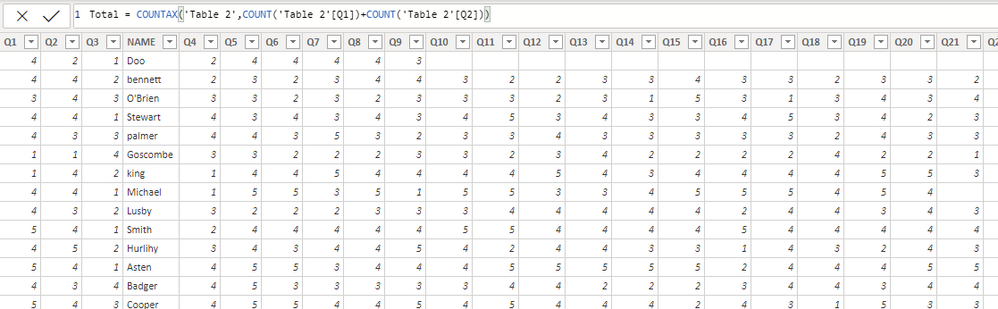
Hi, I have a table with 27 colums with one called last name and 26 questions, like shown in picture. Since someone only answer some of questions and leave the blank for others. I want to calculate how many questions a person answer in a new column. How can I do that?
@Anonymous ,
You can unpivot the values using Power Query.
Select the name column and right click -> unpivot other columns, the result is:
NAME, ATTRIBUTE, VALUE
With this dataset you can easily count the blank values or nonblank values.
The Power BI Data Visualization World Championships is back! Get ahead of the game and start preparing now!
Check out the November 2025 Power BI update to learn about new features.
| User | Count |
|---|---|
| 20 | |
| 10 | |
| 9 | |
| 4 | |
| 4 |
| User | Count |
|---|---|
| 32 | |
| 31 | |
| 18 | |
| 12 | |
| 11 |