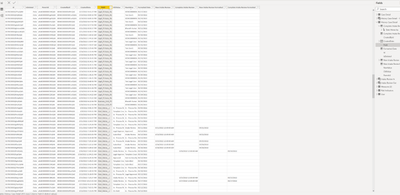
I hope someone can please help me with this issue. I have tables that Power BI does not relate correctly.
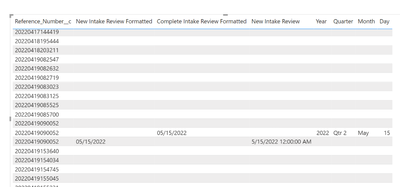
In my table visual, I am trying to get two dates on the same row so that I can subtract them. However, the two dates appear on different rows. I am getting double the rows in my visualization.
For the data below, these are the two Calculated columns for the two dates:
Complete Intake Review = IF(AND('History: Case Detail'[Field]="Deal_Status__c",'History: Case Detail'[OldValue]="Intake Review"),'History: Case Detail'[CreatedDate].[Date],BLANK())
New Intake Review = IF(AND('History: Case Detail'[Field]="Deal_Status__c",'History: Case Detail'[NewValue]="Intake Review"),'History: Case Detail'[CreatedDate].[Date],BLANK())
These two dates are named the same -- CreatedDate and CreatedDate. I use the Created Date when NewValue is filtered for “Intake Review” and I use the Created Date when OldValue is filtered for “Intake Review”. The data source is Salesforce. The dates represent the beginning and end of a duration of time.
I need them to appear on the same row so that I can subtract them. However, they appear on different rows in the visual.
The two tables “Case Detail” (the one) and “History: Case Detail” (the many) are automatically many-to-one in the data model. Case Detail[id) is a key and History: Case Detail[Parentid] is a key. Cross filter direction is single pointing from Case Detail to History:Case Detail.
Any suggestions are welcome. Thank you.