Join us at FabCon Atlanta from March 16 - 20, 2026, for the ultimate Fabric, Power BI, AI and SQL community-led event. Save $200 with code FABCOMM.
Register now!The Power BI Data Visualization World Championships is back! Get ahead of the game and start preparing now! Learn more
Hi guys, I was wondering how best to convert my dates from their numeric value to date? Currently I get numbers set up like so
YY-MM-DD example, 200217.
Any easy way to do this in dax or power query?
@cdawidow , you can set format under - https://docs.microsoft.com/en-us/power-bi/desktop-custom-format-strings
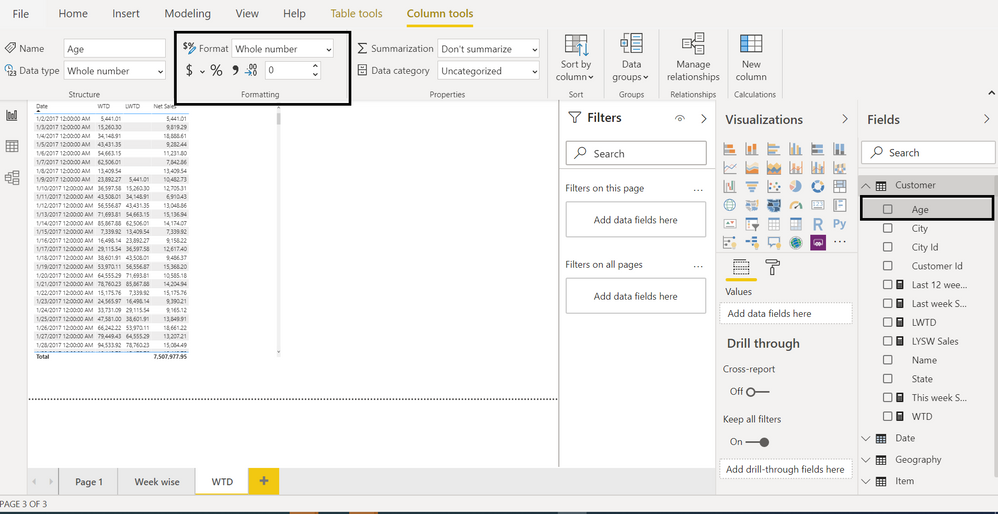
or under Column/measure tool you have option
or create a column
New column = format([Date],"YY-MM-DD")
Hey, your solutions do work, but for the year , I am still getting a wrong vlaue. For example, 200702 should give me 2020-07-02 but instead I get 2449-07-02 any ideas why?
Run this in DAX Studio.
EVALUATE
{
var __dateAsNum = 200702
return
date(
int( __dateAsNum / 10000 ) * 100 + 20,
mod( int( __dateAsNum / 100 ), 100 ),
mod( __dateAsNum, 100 )
)
}It returns 2020-07-02 as a date.
@cdawidow - You can use the FORMAT command. You can also change the format in the ribbon under Measure Tools or Column Tools. There is also display formatting as discussed in Chelsie Eiden's Duration - https://community.powerbi.com/t5/Quick-Measures-Gallery/Chelsie-Eiden-s-Duration/m-p/793639#M389
Could also use SUBSTITUTE to replace "-" with "".
Those are all DAX solutions. I am sure there are Power Query ones too. For example, you could split that column on "-" and then concatenate it back together the way you want. Or, heck, just replace your "-" with "" in Power Query editor.
The Power BI Data Visualization World Championships is back! Get ahead of the game and start preparing now!
| User | Count |
|---|---|
| 14 | |
| 7 | |
| 4 | |
| 4 | |
| 3 |
| User | Count |
|---|---|
| 23 | |
| 10 | |
| 10 | |
| 6 | |
| 5 |