
Join us at FabCon Atlanta from March 16 - 20, 2026, for the ultimate Fabric, Power BI, AI and SQL community-led event. Save $200 with code FABCOMM.
Register now!The Power BI Data Visualization World Championships is back! Get ahead of the game and start preparing now! Learn more
Hi,
I am trying to filter out certain records to create a Card that will illustrate the oldest "Ord date" and displayy age in days.
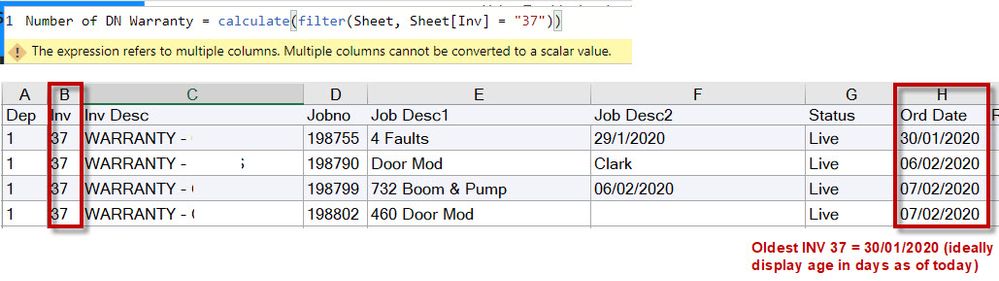
I would like to filter column "INV" with any records that contain number 37 so i can see the corresponding "Ord Date" - below is a screenshot of my DAX with the error - am i doing something wrong?
Solved! Go to Solution.
Hi @JamesGordon ,
If you check your DAX expression correctly, it is missing a closing bracket for COUNTROWS (in red below). Copy hte DAX below and use it:
Warranty = CALCULATE(COUNTROWS (Sheet) , Sheet[Inv] = 37)
Thanks,
Pragati
If this works, Please mark this as a solution!
it looks like you creating a measure you should use like SELECTEDVALUE(Sheet[Inv])=37
Hi Az28,
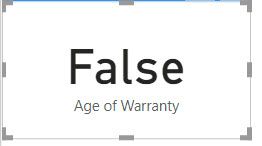
Thank you for the help - unfortunately i get the following error in the Card?
I am looking to filter out all rows with the number 37 then display the oldest date - do i need to have two filter commands, i.e one to filter out the rows with "37" and another filter commaned to find the oldest date in column "Ord date"?
Yes, I didnt notice the greatest problem 🙂
Number of Warranty =
CALCULATE(COUNTROWS(Sheet), Sheet[Inv]=37)
Thanks again,
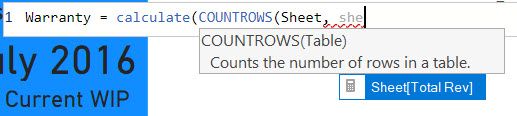
Unfortunately when i try to search for the Column in the sheet it does not appear in the list? As per below -
if i manually type the command in then i get the following error?
Any further suggestions?
Hi @JamesGordon ,
If you check your DAX expression correctly, it is missing a closing bracket for COUNTROWS (in red below). Copy hte DAX below and use it:
Warranty = CALCULATE(COUNTROWS (Sheet) , Sheet[Inv] = 37)
Thanks,
Pragati
If this works, Please mark this as a solution!
The Power BI Data Visualization World Championships is back! Get ahead of the game and start preparing now!
Check out the November 2025 Power BI update to learn about new features.
| User | Count |
|---|---|
| 20 | |
| 11 | |
| 10 | |
| 4 | |
| 4 |
| User | Count |
|---|---|
| 34 | |
| 30 | |
| 19 | |
| 12 | |
| 11 |