Join us at FabCon Atlanta from March 16 - 20, 2026, for the ultimate Fabric, Power BI, AI and SQL community-led event. Save $200 with code FABCOMM.
Register now!The Power BI Data Visualization World Championships is back! Get ahead of the game and start preparing now! Learn more
Hi All,
I have a query which has a column name "Components" and it has List values in it . I want to extract the data from this column so it gets stored in a new column in the query.
Basicaly I want to extract the data in "name" attribute . How this can be done? Any help will be much appreciated.
Thanks
Solved! Go to Solution.
Hi @Anonymous ,
This is a blog on how to extract values from records and lists, I believe it will be helpful to you.
Extract Values From Records And Lists In Power Query - Master Data & AI Skills (enterprisedna.co)
Best Regards,
Stephen Tao
If this post helps, then please consider Accept it as the solution to help the other members find it more quickly.
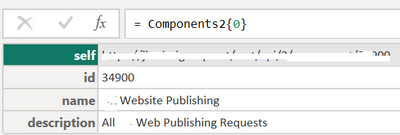
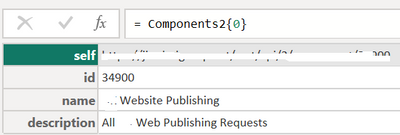
That looks like a record. Try
= Components2{0}[name]
Pat
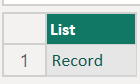
Hi @ppm1 , It's a list. Please see below more screenshots.
When you click on List then below screen comes up:
Hi @Anonymous ,
This is a blog on how to extract values from records and lists, I believe it will be helpful to you.
Extract Values From Records And Lists In Power Query - Master Data & AI Skills (enterprisedna.co)
Best Regards,
Stephen Tao
If this post helps, then please consider Accept it as the solution to help the other members find it more quickly.
In the colulmn header, click on the double arrow expand button and "expand to new rows". You should then have a column of Records. Click on the expand button on that column and choose only the name field.
Pat
The Power BI Data Visualization World Championships is back! Get ahead of the game and start preparing now!
| User | Count |
|---|---|
| 19 | |
| 13 | |
| 10 | |
| 4 | |
| 4 |
| User | Count |
|---|---|
| 31 | |
| 28 | |
| 19 | |
| 11 | |
| 10 |