cancel
Showing results for 
Search instead for 
Did you mean: 

A new Data Days event is coming soon! This time we’re going bigger than ever. Fabric, Power BI, SQL, AI and more. Don't miss out.

Reply
kunal_mehta1
Helper I
Helper I

DAX Query

Hi All, 
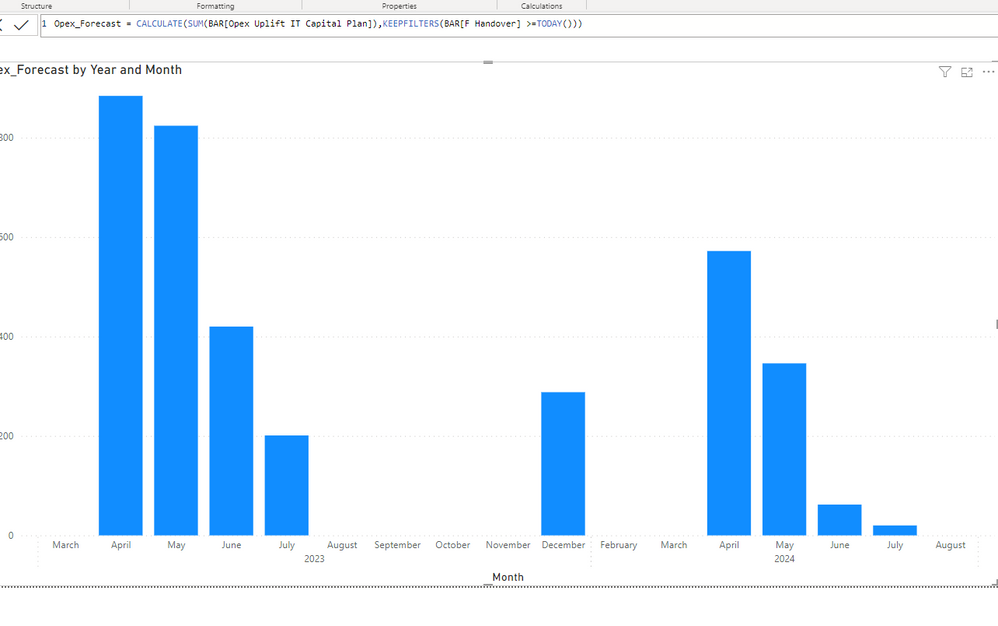
I have attached an image below. I have a measure which helps me filter the data based on the dates which would be greater than or equal to Today. But as you can see in the visual it is just showing certain months. Can someone please help me with how can i see all the months on the visual even if it doesn't have any data.Query.PNG

1 ACCEPTED SOLUTION
Anonymous
Not applicable

Hi @kunal_mehta1 

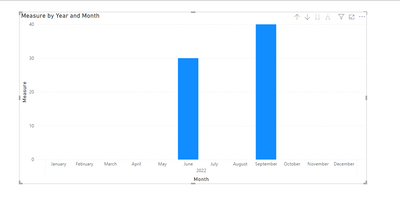
Click the date field on x-axis, and select "Show item with no data", it will display all month.

vxinruzhumsft_0-1680229647458.png


vxinruzhumsft_1-1680229653912.png

Best Regards!

Yolo Zhu

If this post helps, then please consider Accept it as the solution to help the other members find it more quickly.

View solution in original post

1 REPLY 1
Anonymous
Not applicable

Hi @kunal_mehta1 

Click the date field on x-axis, and select "Show item with no data", it will display all month.

vxinruzhumsft_0-1680229647458.png


vxinruzhumsft_1-1680229653912.png

Best Regards!

Yolo Zhu

If this post helps, then please consider Accept it as the solution to help the other members find it more quickly.

Helpful resources

Announcements
May Power BI Update Carousel

Power BI Monthly Update - May 2026

Check out the May 2026 Power BI update to learn about new features.

Fabric SQL PBI Data Days

Data Days 2026 coming soon!

Sign up to receive a private message when registration opens and key events begin.

New to Fabric survey Carousel

New to Fabric Survey

If you have recently started exploring Fabric, we'd love to hear how it's going. Your feedback can help with product improvements.

Power BI DataViz World Championships carousel

Power BI DataViz World Championships - June 2026

A new Power BI DataViz World Championship is coming this June! Don't miss out on submitting your entry.