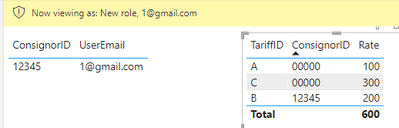
I read dozens of articles about RLS but it seems that none of them works for my case. I am sure that the solution should be simple, I just can’t find it somehow…
I have a table ‘Tariff’ (with thousands of rows) that shows tariffs, and a table ‘User’ (hundreds of rows) that shows which tariffs a user should see via his email.
The trick is that ‘Tariff’ table contains 2 types of tariffs: general tariffs (ConsignorId = «00000») and personal tariffs (ConsignorId = «12345»; «67890»; etc.).
When a user logs in, he should see both general and his personal Tariffs.
For example:
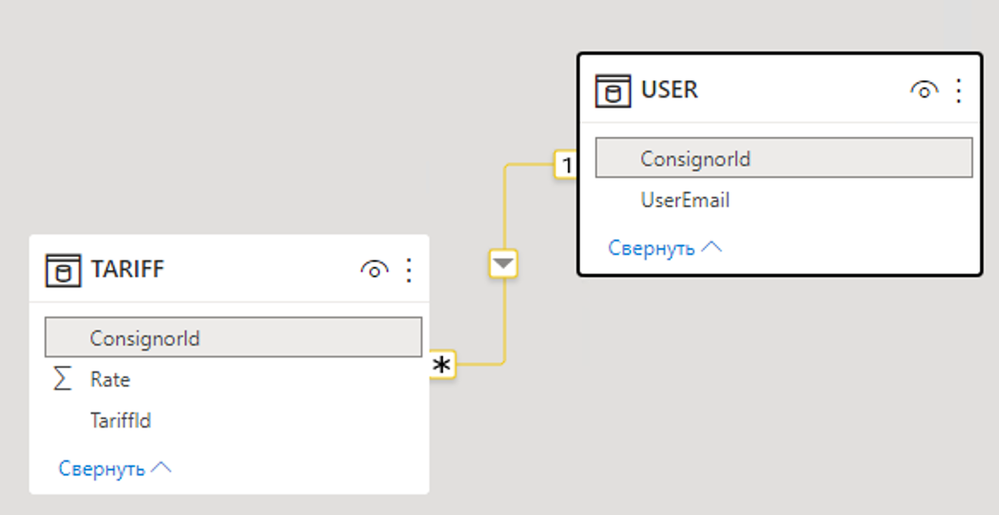 User_Tariff_tables
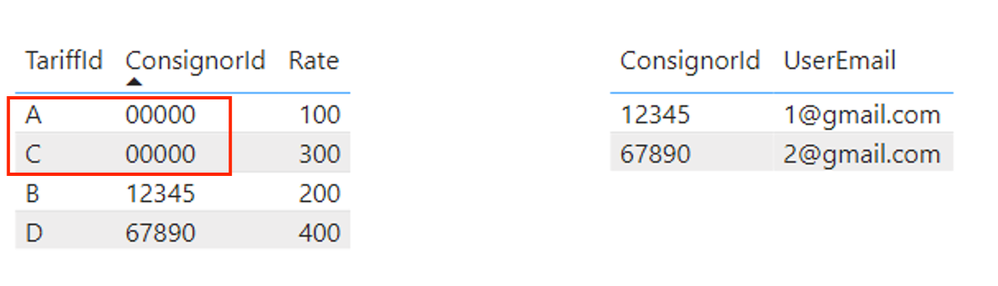 Tables_content
So, I tried the following RLS rule, but it returns an error:
 manage_roles_user
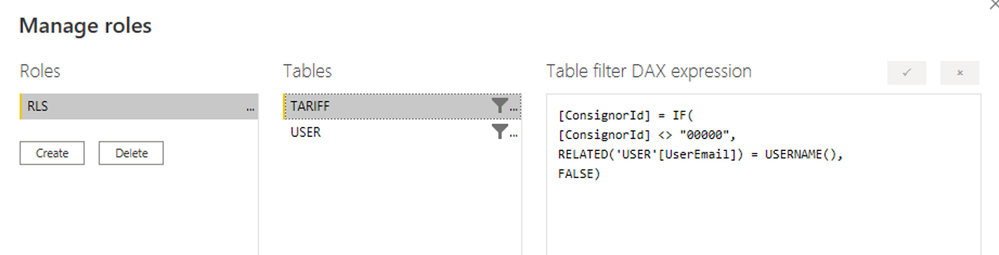 manage_roles_tariff
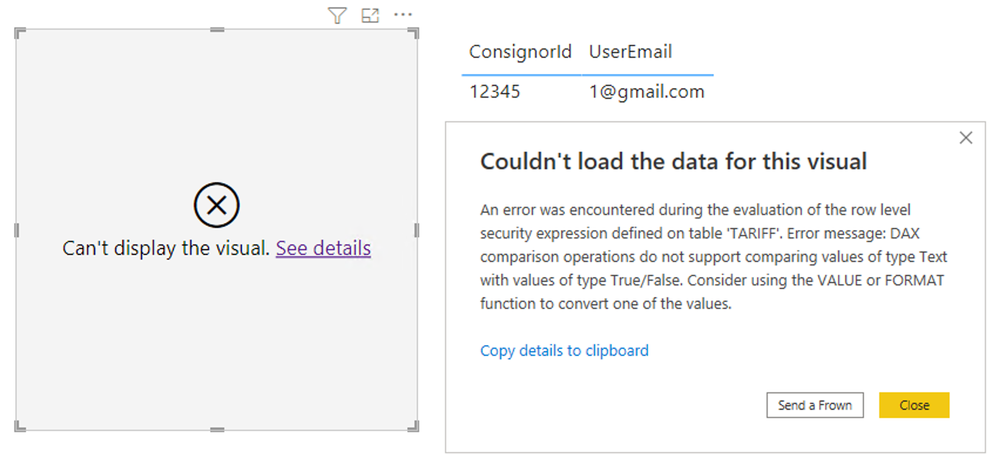 rls_view_error
Please, help me out — what should I do? How can I solve this?
I also tried another way: I split the table ‘Tariff’ into 2 tables — general tariffs and personal tariffs, applied RLS on ‘personal tariffs’ table, then created a new table with UNION (‘general tariffs’, ‘personal tariffs’) but RLS did not work at all — all the rows are displayed to each user.
p.s. I will attach pbix file in a reply, if needed.