Join us at FabCon Atlanta from March 16 - 20, 2026, for the ultimate Fabric, Power BI, AI and SQL community-led event. Save $200 with code FABCOMM.
Register now!The Power BI Data Visualization World Championships is back! Get ahead of the game and start preparing now! Learn more
Hello everyone,
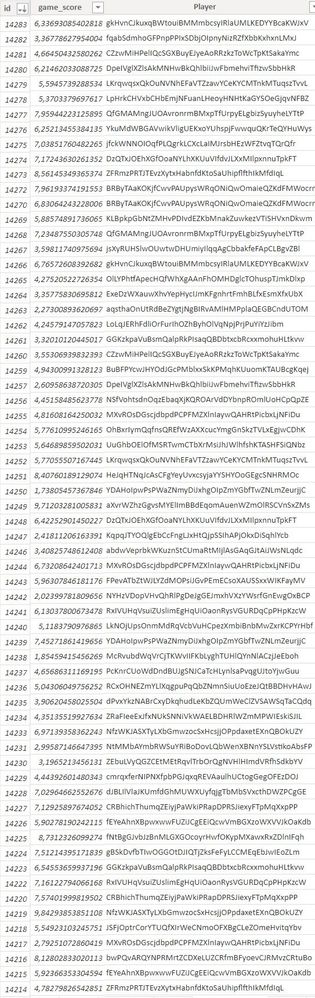
This is my first post and the beginning of my adventure with dax so please be understanding. I have a table with 3 columns: index, score and player. I try to count the average score of the last 30 indexes for each player. I have over 14,000 lines and over 300 players so for each player the last 30 indexes will be different.
Scores
Thank you for all the great content you have here - it is a great place to learn 🙂
Solved! Go to Solution.
@Pan_Forex , Create an index column in table using DAX
index= rankx(filter(Table, [Player] = earlier([Player]) ), [id],,asc,desc)
Create a new table
series = generateseries(Min(Table[index]), Max(Table[index]) ,1)
then create join series[value] with rank and create a measure
calculate(average(Table[game_score]), filter(all(series) , series[Value] >= max(series[Value]) -30 && series[Value] <= max(series[Value]) ))
Hi, @Pan_Forex Can you provide sample data with sensitive data removed
@Pan_Forex , Create an index column in table using DAX
index= rankx(filter(Table, [Player] = earlier([Player]) ), [id],,asc,desc)
Create a new table
series = generateseries(Min(Table[index]), Max(Table[index]) ,1)
then create join series[value] with rank and create a measure
calculate(average(Table[game_score]), filter(all(series) , series[Value] >= max(series[Value]) -30 && series[Value] <= max(series[Value]) ))
Hi, thank you very much for your reply! When creating an index column, it displays an error: Unexpected value of the TIES argument in the RANKX function. The allowed values are SKIP and DENSE.
My function looks like this:
index = rankx(FILTER('public players', [Player] = earlier([Player]) ), [id],,asc,desc)
I fixed the errors, corrected the relationships and everything works. Thank you very much!
The Power BI Data Visualization World Championships is back! Get ahead of the game and start preparing now!
Check out the November 2025 Power BI update to learn about new features.
| User | Count |
|---|---|
| 20 | |
| 10 | |
| 9 | |
| 4 | |
| 4 |
| User | Count |
|---|---|
| 33 | |
| 31 | |
| 19 | |
| 12 | |
| 11 |