Join us at FabCon Atlanta from March 16 - 20, 2026, for the ultimate Fabric, Power BI, AI and SQL community-led event. Save $200 with code FABCOMM.
Register now!The Power BI Data Visualization World Championships is back! Get ahead of the game and start preparing now! Learn more
Hi!
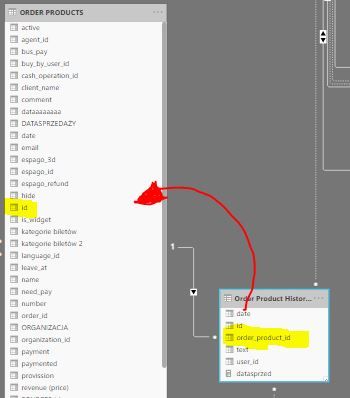
I have two tables with a relationship based on order id. What I'm trying to achieve is to add "date" column from "Order Product Histories" to "ORDER PRODUCTS" table. The "date" in "Order Product Histories" table indicates the date of booking and the "date in ORDER PRODUCTS" table indicates the execution date. The case is I have multiple DAX measures already created and I cannot use both relationships between my calendar table and "ORDER PRODUCTS" with "Order Products Histories" at one time. I would like to use the date from "Order Product Histories" table to filter my measures, so I thought it would be the best to add a new column to "ORDER PRODUCTS" table. Looking forward to any tips to make it efficiently work! 🙂
Hi tkowalski,
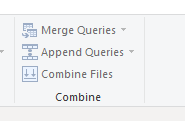
the easiest and fastest solution may be a merge in Power Query Editor.
It's like a join identified by id
Regards
Rainer1
The Power BI Data Visualization World Championships is back! Get ahead of the game and start preparing now!
Check out the November 2025 Power BI update to learn about new features.
| User | Count |
|---|---|
| 20 | |
| 10 | |
| 9 | |
| 4 | |
| 4 |
| User | Count |
|---|---|
| 34 | |
| 31 | |
| 20 | |
| 12 | |
| 11 |