cancel
Showing results for 
Search instead for 
Did you mean: 

The Power BI Data Visualization World Championships is back! Get ahead of the game and start preparing now! Learn more

Reply
vicente-iii
Helper I
Helper I

Problems Creating Custom Visual using Plotly with Iris Dataset

Hi everyone,


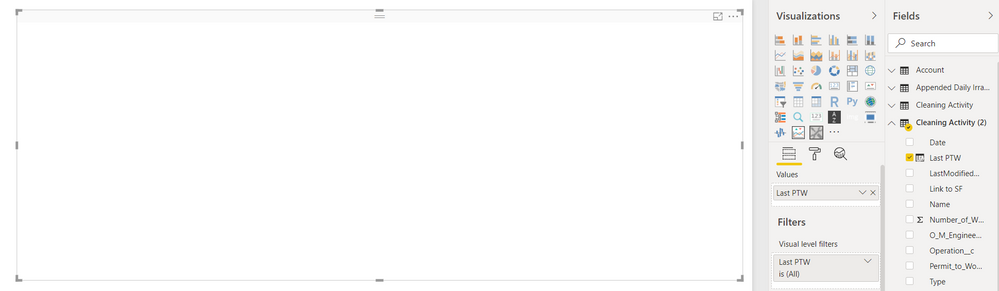
I'm trying to make R Custom visuals with plotly and have closely followed the guide outlined here from RADACAD. However, when I imported the custom visual to Power BI, it gave me a blank visual and I do not get any error messages:

Plotly Problems.PNGBlank visual in Power BI using Iris Dataset

Whereas I expect to see this:

Iris Dataset.PNG


Below is the R script I used (the default when downloading sampleRHTMLVisual):

source('./r_files/flatten_HTML.r')

############### Library Declarations ###############
libraryRequireInstall("ggplot2");
libraryRequireInstall("plotly")
####################################################

################### Actual code ####################
g = qplot(`Petal.Length`, data = iris, fill = `Species`, main = Sys.time());
####################################################

############# Create and save widget ###############
p = ggplotly(g);
internalSaveWidget(p, 'out.html');
####################################################

Has anyone encountered this issue before?

0 REPLIES 0

Helpful resources

Announcements
Power BI DataViz World Championships

Power BI Dataviz World Championships

The Power BI Data Visualization World Championships is back! Get ahead of the game and start preparing now!

December 2025 Power BI Update Carousel

Power BI Monthly Update - December 2025

Check out the December 2025 Power BI Holiday Recap!

FabCon Atlanta 2026 carousel

FabCon Atlanta 2026

Join us at FabCon Atlanta, March 16-20, for the ultimate Fabric, Power BI, AI and SQL community-led event. Save $200 with code FABCOMM.

Top Kudoed Authors