cancel
Showing results for 
Search instead for 
Did you mean: 

Data Days is here! Join us now for 60+ days of learning, challenges, and connection. Learn more

Reply
klabir
Helper V
Helper V

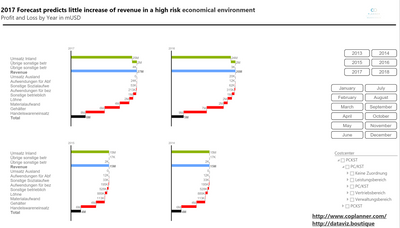
PowerBI Ultimate Waterfall Custom Visual

Calculation waterfalls (vertical axis), small multiple, define your own subtotals - download your trial without registration here More Details 

More Details

Feedback welcomeM2.PNGM1.PNG


3 REPLIES 3
ED_CC
New Member

Hi,


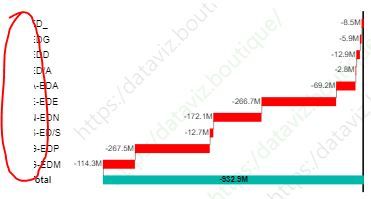
Thanks for introducing a vertical waterfall format in BI. I encounter a formatting issue as a result of negative value. Since the bars are all on negative side, category name is partially cut in the chart as shown below. Can you please advise how to solve the problem?


Capture.JPG

Hello


please use latest Version i sent to you with persoal message.

thx

klaus

Hi, I am facing a similar issue as mentioned here. We are using Ultimate Waterfall Chart 4.8.9.1 and the category labels are not showing up with Horizontal orientation when values are negative. They are, however, showing up with Vertical orientation. Is there a fix for that as well?

Helpful resources

Announcements
Fabric Data Days is here Carousel

Fabric Data Days 2026

Don't miss out on Data Days, June 15 through August 7. Learn Fabric, Power BI, SQL, AI and more.

May Power BI Update Carousel

Power BI Monthly Update - May 2026

Check out the May 2026 Power BI update to learn about new features.

Power BI DataViz World Championships carousel

Power BI DataViz World Championships - June 2026

A new Power BI DataViz World Championship is coming this June! Don't miss out on submitting your entry.

Top Solution Authors