Join us at FabCon Atlanta from March 16 - 20, 2026, for the ultimate Fabric, Power BI, AI and SQL community-led event. Save $200 with code FABCOMM.
Register now!The Power BI Data Visualization World Championships is back! Get ahead of the game and start preparing now! Learn more
Hi,
Can anyone please help me ?
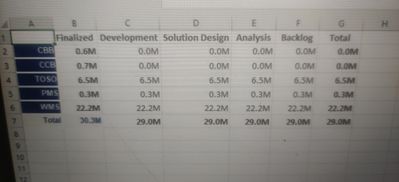
I have 5 columns describing 5 different stages of each project.
5 columns are Finalized, Development, Design, Analysis, Backlog.
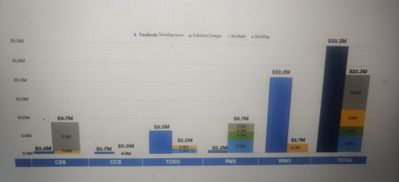
Now I want to plot a clustered column chart but in power BI by default it is plotting for all 5 categories.
However I just want to display two bars
Finalized vs Rest others stacked on each other similar to what you see here in Excel
Can someone please guide me here ?
You can tweak my solution here to get that result.
https://www.villezekeviking.com/how-to-combine-a-clustered-and-stacked-chart-in-power-bi/
Just change the names in my solution to fit your need 🙂
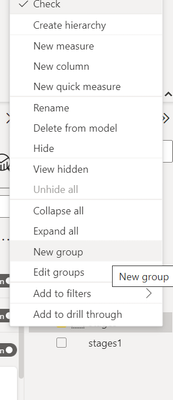
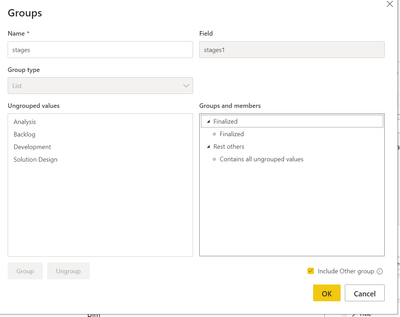
Right click on Stage column and create new group
Use
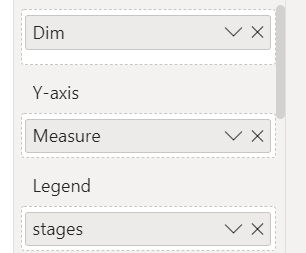
In X -axis : Dim (CBB,CCB,TOSO,PMS,WMS)
In Y- Axis – Measure
In Legend : New group column
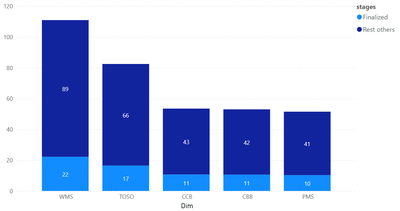
Output
Check and let me know if you need more inputs
The Power BI Data Visualization World Championships is back! Get ahead of the game and start preparing now!
| User | Count |
|---|---|
| 1 | |
| 1 | |
| 1 | |
| 1 | |
| 1 |