Join us at FabCon Atlanta from March 16 - 20, 2026, for the ultimate Fabric, Power BI, AI and SQL community-led event. Save $200 with code FABCOMM.
Register now!Get Fabric Certified for FREE during Fabric Data Days. Don't miss your chance! Request now
Hi everyone,
this is my first time in this forum.
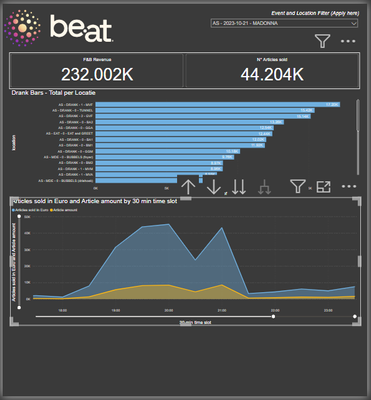
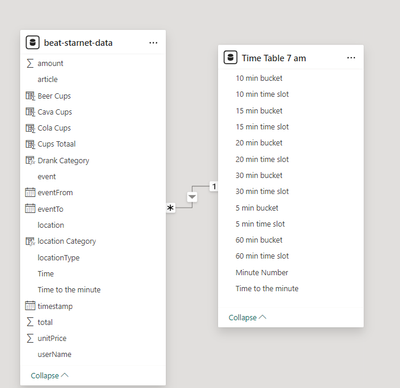
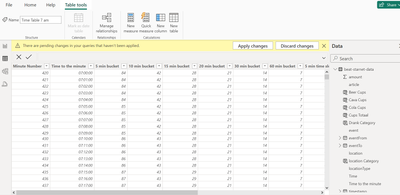
I am doing my internship on a concerthall where I have been asked to create a dashboard that shows the key metrics of the F&B team. Currently I am trying to create a visual of the sales per concert, after analyzing the sales of a concert I noticed that people still buy drinks after 12 am but in the visual the time runs from 12 am to 11:59 pm. I am currently looking to create one that starts from 7 am to 6:59 am (since the venue can have concerts from 8 pm to 2 pm but also events from 10 am to 4 pm). I tried already creating a time table starting from 7 am, also making new measures but unfortunalely I haven't had luck. Could someone explain me step by step what I should do in this situation, I am really lost.
If there is anything else that I need to provide do not doubt to contact me.
Thanks in advance!
Read about how to sort a column by another column. Add a sort column that is shifted by 7 hours and then sort your hour column by that new column. You'll need to add the column further upstream to avoid circular dependencies.
Check out the November 2025 Power BI update to learn about new features.
Advance your Data & AI career with 50 days of live learning, contests, hands-on challenges, study groups & certifications and more!
| User | Count |
|---|---|
| 4 | |
| 3 | |
| 2 | |
| 2 | |
| 2 |