Get certified for free when you join Fabric Data Days 2026 and dive into Fabric, Power BI, SQL, AI, and other essential data skills.
Join nowData Days is here! Join us now for 60+ days of learning, challenges, and connection. Learn more
I'm having some trouble with setting up a condition containing a minimum requirement.
Example:
"conditions": [ { "x": { "max": 1 }, "y": { "min": 2 } } ],
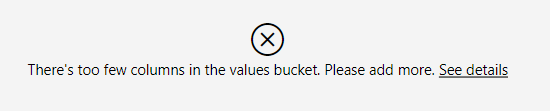
The goal is that until the user has mapped exactly one X and two or more Y fields, they will continue to see an error like this:
What actually happens is that you can't map any fields at all.
We could set up multiple conditions as "stepping stones" to get to the condition shown above, but that would completely defeat the purpose. The goal here is to display the included error message until the user has mapped all the necessary fields.
Is this possible, or will we need to implement our own input validation and error display?
powerbi-visuals-api: 2.5.0
powerbi-visuals-tools: 3.0.12
powerbi-visuals-utils-dataviewutils: 2.1.1
Hello,
The standard error message window is shown for the whole report.
It is incorrect to adjust it for some limits of certain visual so, it is definitely the best solution to check inputs and show a message inside a visual.
Kind Regards,
Evgenii Elkin,
Software Engineer
Microsoft Power BI Custom Visuals
pbicvsupport@microsoft.com
Don't miss out on Data Days, June 15 through August 7. Learn Fabric, Power BI, SQL, AI and more.
Check out the May 2026 Power BI update to learn about new features.
| User | Count |
|---|---|
| 1 | |
| 1 | |
| 1 | |
| 1 | |
| 1 |