cancel
Showing results for 
Search instead for 
Did you mean: 

The Power BI Data Visualization World Championships is back! Get ahead of the game and start preparing now! Learn more

Reply
GalVaknin
New Member

Customize Chicklet slicer

Hi,


I am using Chicklet slicer for filter list of Date Types and want to Customize that when Chicklet selected:
1. the Chicklet  color "Blue"  else "White".

2. the text Color "White" else "Black".


Unfortunately, I was only able to change the color of the Chicklet and not the color of the text. see Pic below.


GalVaknin_0-1664459863213.png


Does anyone know how to solve this?

Is there another visual slicer that allows this?


Thanks in Advance.

1 REPLY 1
KerKol
Power Participant
Power Participant

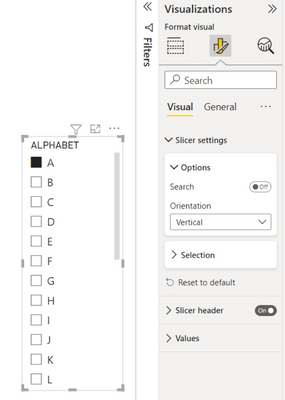
Using the Default Power BI Slicer and changing from Vertical Orientation....

KerKol_3-1664839567694.png


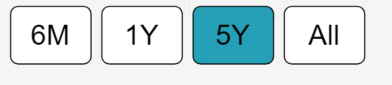
... to Horizontal Orientation produces a chiclet-style slicer:

KerKol_5-1664839597065.png

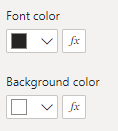
And you should have conditional font and background colour options:

KerKol_6-1664839741644.png


Did I answer your question? Mark my post as a solution!

Proud to be a Super User!


Helpful resources

Announcements
Power BI DataViz World Championships

Power BI Dataviz World Championships

The Power BI Data Visualization World Championships is back! Get ahead of the game and start preparing now!

December 2025 Power BI Update Carousel

Power BI Monthly Update - December 2025

Check out the December 2025 Power BI Holiday Recap!

FabCon Atlanta 2026 carousel

FabCon Atlanta 2026

Join us at FabCon Atlanta, March 16-20, for the ultimate Fabric, Power BI, AI and SQL community-led event. Save $200 with code FABCOMM.