cancel
Showing results for 
Search instead for 
Did you mean: 

Data Days is here! Join us now for 60+ days of learning, challenges, and connection. Learn more

Reply
GalVaknin
New Member

Customize Chicklet slicer

Hi,


I am using Chicklet slicer for filter list of Date Types and want to Customize that when Chicklet selected:
1. the Chicklet  color "Blue"  else "White".

2. the text Color "White" else "Black".


Unfortunately, I was only able to change the color of the Chicklet and not the color of the text. see Pic below.


GalVaknin_0-1664459863213.png


Does anyone know how to solve this?

Is there another visual slicer that allows this?


Thanks in Advance.

1 REPLY 1
KerKol
Power Participant
Power Participant

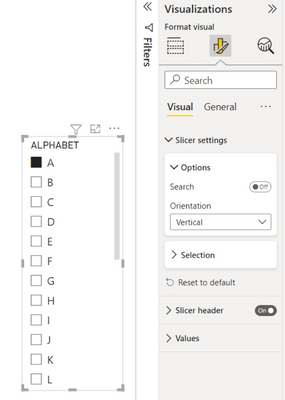
Using the Default Power BI Slicer and changing from Vertical Orientation....

KerKol_3-1664839567694.png


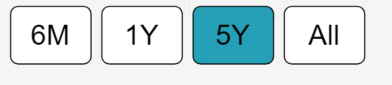
... to Horizontal Orientation produces a chiclet-style slicer:

KerKol_5-1664839597065.png

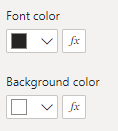
And you should have conditional font and background colour options:

KerKol_6-1664839741644.png


Did I answer your question? Mark my post as a solution!

Proud to be a Super User!


Helpful resources

Announcements
Fabric Data Days is here Carousel

Fabric Data Days 2026

Don't miss out on Data Days, June 15 through August 7. Learn Fabric, Power BI, SQL, AI and more.

May Power BI Update Carousel

Power BI Monthly Update - May 2026

Check out the May 2026 Power BI update to learn about new features.

Power BI DataViz World Championships carousel

Power BI DataViz World Championships - June 2026

A new Power BI DataViz World Championship is coming this June! Don't miss out on submitting your entry.

Top Solution Authors