cancel
Showing results for 
Search instead for 
Did you mean: 

The Power BI Data Visualization World Championships is back! Get ahead of the game and start preparing now! Learn more

Reply
meet1291
Frequent Visitor

Custom triangle shape visual

Hi,


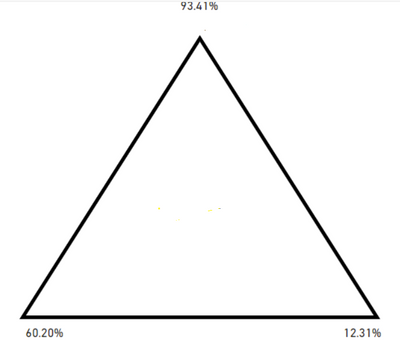
I'm looking for a triangle shape visual whose angle changes with the change in the values. Can we do this in powerbi? 


meet1291_0-1667498903339.png


1 ACCEPTED SOLUTION
BeaBF
Super User
Super User

@meet1291 Hi! 

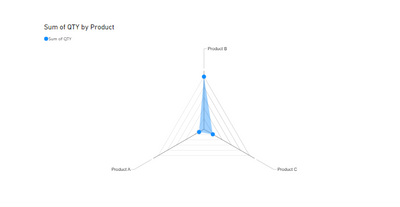
The only Viz that comes to mind is the Radar Chart:

BeaBF_0-1667556443574.png

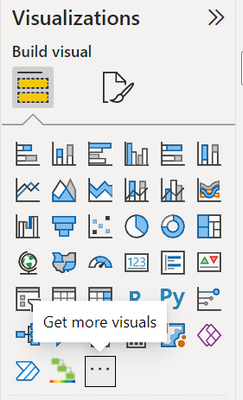
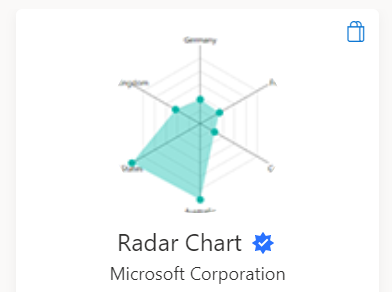
you can download it by clicking on "Get more visuals" and then searching "Radar Chart", it will appear:

BeaBF_1-1667556580364.png


BeaBF_2-1667556606601.png

once downloaded, you will pass in "Category" the categories of your vertices and in "y axis" the numerical values ​​that they must assume.


BBF


View solution in original post

3 REPLIES 3
meet1291
Frequent Visitor

Thank you!!

@meet1291 if that's what you are looking for, accept my answer as a solution! 

Thx,


BBF

BeaBF
Super User
Super User

@meet1291 Hi! 

The only Viz that comes to mind is the Radar Chart:

BeaBF_0-1667556443574.png

you can download it by clicking on "Get more visuals" and then searching "Radar Chart", it will appear:

BeaBF_1-1667556580364.png


BeaBF_2-1667556606601.png

once downloaded, you will pass in "Category" the categories of your vertices and in "y axis" the numerical values ​​that they must assume.


BBF


Helpful resources

Announcements
Power BI DataViz World Championships

Power BI Dataviz World Championships

The Power BI Data Visualization World Championships is back! Get ahead of the game and start preparing now!

December 2025 Power BI Update Carousel

Power BI Monthly Update - December 2025

Check out the December 2025 Power BI Holiday Recap!

FabCon Atlanta 2026 carousel

FabCon Atlanta 2026

Join us at FabCon Atlanta, March 16-20, for the ultimate Fabric, Power BI, AI and SQL community-led event. Save $200 with code FABCOMM.