Hi everyone,
To save time, I saved off an existing, functiong report and just changed the data source to create a new report so I didnt have to recreate all the visuals from scratch.
The original report used standard offered BI visuals and I added custom colors for status (Red, Yellow, Green, Blue etc). This original report has been funtioning with it's original data set with no issues even with hourly refreshes for the last year.
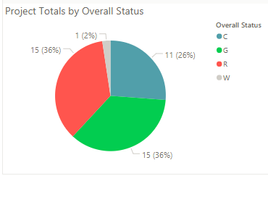
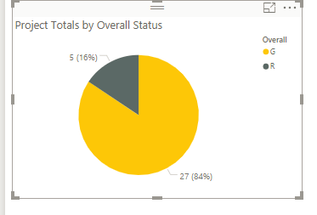
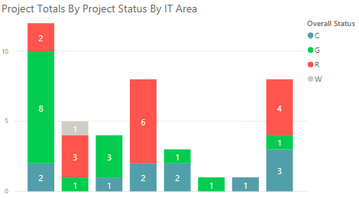
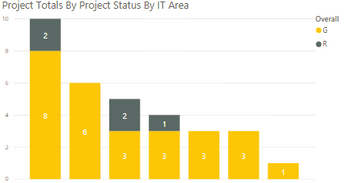
When I updated the fields in the new report to point to the new data source all the custom colors reverted back to standard BI colors. I then manually recreated all colors to match the red, yellow, green status colors and all was good. Then, I refreshed the data source to get updated data. The colors reverted back to non-custom colors, AGAIN. This report is set to refresh at least daily, if not hourly so I cant risk the colors changing every day - not sustainable. Examples of the old and new report below
Does anyone have any thoughts?