Join us in Barcelona for FabCon and SQLCon, September 28 - October 1, 2026.
This is best Fabric, Power BI, SQL and AI community event. How do we know? The last event sold out! Save €200 with code FABCMTY200.
Register nowThe Fabric community is upgrading! Read all of the details including the timeline and what you can expect. Learn more
- Microsoft Fabric Community
- Fabric community resources
- Fabric community support
- Using the Community
- Changing Your Community Language Preferences
- Article History
- Subscribe to RSS Feed
- Mark as New
- Mark as Read
- Bookmark
- Subscribe
- Printer Friendly Page
- Report Inappropriate Content
- Mark as New
- Bookmark
- Subscribe
- Mute
- Subscribe to RSS Feed
- Permalink
- Report Inappropriate Content
Changing Your Community Language Preferences
In this support article, we cover the following topics:
- Changing your language preferences to another language
- Switching back to the default language, English
By the default, buttons and menu options in the community are displayed in English. If you would like to use the community in a language other than English, you need to follow the instructions below. Please note that you can only change your preferences to a language that is currently available. The language that you want to use might not be available at this time. Please don't change your language preferences to a language that you don't speak, just to try it out, as you might have trouble navigating the options to switch it back to the default, English.
Changing your language preferences to another language
- Click on your avatar image on the top right. This will bring up a dropdown menu.
- Click on "My settings".
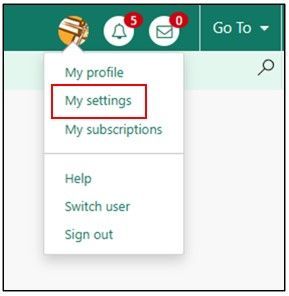
3. Click on the Preferences tab.
4. Click on the dropdown menu to the right of Language.
5. Select a language from the ones available.
6. Click the Save button at the bottom.

7. You should now see menu options and buttons in the language that you selected.
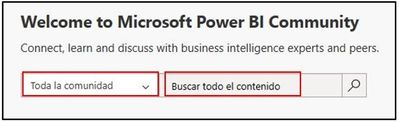
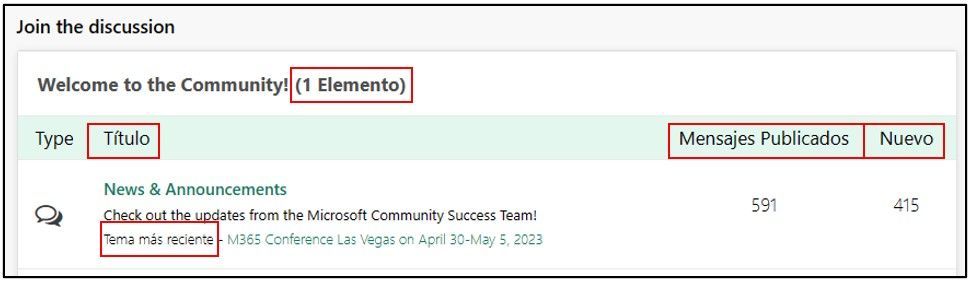
Switching back to the default language, English
The steps are the same for switching back to English, only that now all the options will show in the non-default language that you selected. The screenshots below show a switch from Spanish back to English.
Navigation path: Your Profile -> My settings -> Preferences -> Dropdown for language -> Select the language of your choice from the ones available
Detailed steps:
- Go to My settings on your profile.
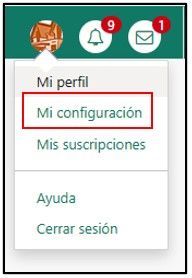
2. Select Preferences.
3. Change your preferred language to the default (English) in the dropdown.
4. Click the Save button at the bottom.
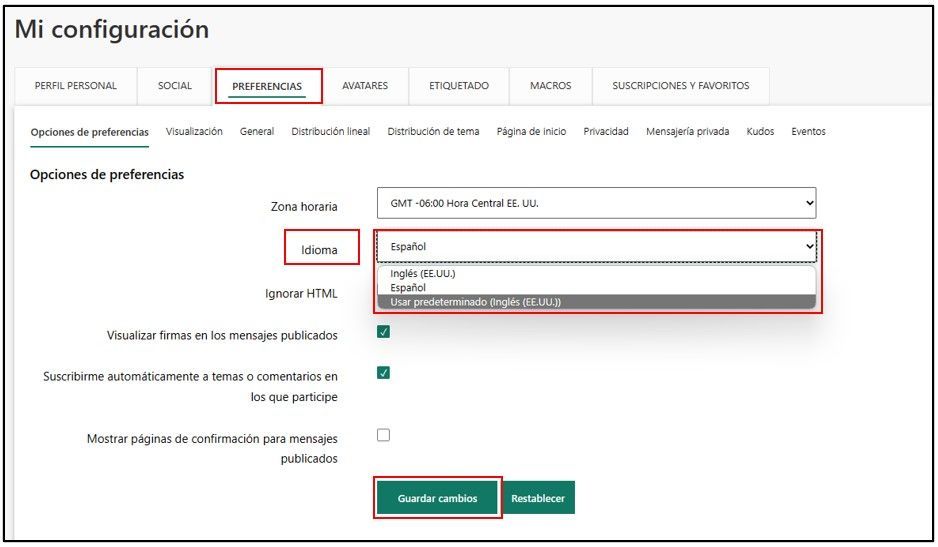
All buttons and menus in the community should show in English again.

