cancel
Showing results for 
Search instead for 
Did you mean: 

The Power BI Data Visualization World Championships is back! Get ahead of the game and start preparing now! Learn more

Reply
BonneyCBS
New Member

Python Script - Data Gateway - No Option to Use Data Gateway for Data Source

Hi, I have a python script that PowerBI uses as a data source. According to what I've read it should be possible to refresh this data source in powerbi service using a personal gateway. 


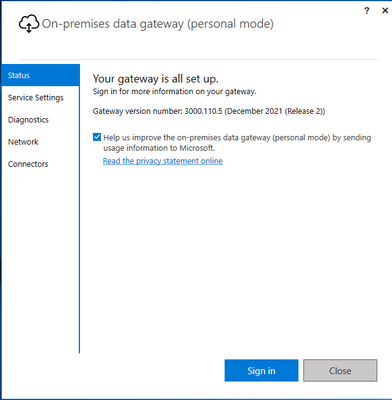
So, I have a personal gateway installed. 

BonneyCBS_1-1642872920165.png


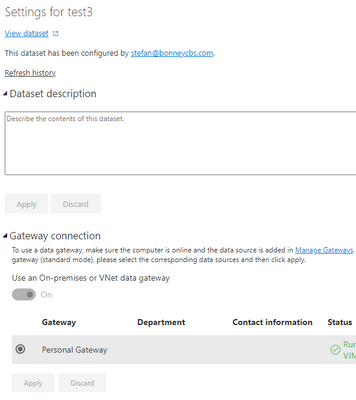
Its working for a simple excel data import that I did as a test.


BonneyCBS_2-1642873022955.png


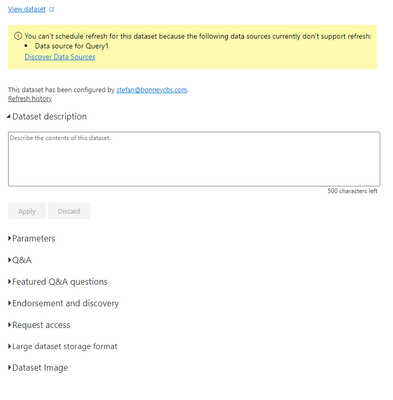
But for the data source with the python script i get the following error.


BonneyCBS_3-1642873107739.png

You can't schedule refresh for this dataset because the following data sources currently don't support refresh:
Data source for Query1


Updating the data source in PowerBI Desktop works fine.

The script basically does the following: Python(Requests) Scrape Website -> Pandas DataFrame(s) Import PowerBI


Any ideas how I could fix this?


1 ACCEPTED SOLUTION
BonneyCBS
New Member

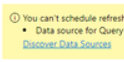
I managed to get it fixed, the simplest things sometimes. Needed to press the discover data source

BonneyCBS_0-1642879501896.png


View solution in original post

1 REPLY 1
BonneyCBS
New Member

I managed to get it fixed, the simplest things sometimes. Needed to press the discover data source

BonneyCBS_0-1642879501896.png


Helpful resources

Announcements
Power BI DataViz World Championships

Power BI Dataviz World Championships

The Power BI Data Visualization World Championships is back! Get ahead of the game and start preparing now!

December 2025 Power BI Update Carousel

Power BI Monthly Update - December 2025

Check out the December 2025 Power BI Holiday Recap!

FabCon Atlanta 2026 carousel

FabCon Atlanta 2026

Join us at FabCon Atlanta, March 16-20, for the ultimate Fabric, Power BI, AI and SQL community-led event. Save $200 with code FABCOMM.