Join us at FabCon Atlanta from March 16 - 20, 2026, for the ultimate Fabric, Power BI, AI and SQL community-led event. Save $200 with code FABCOMM.
Register now!The Power BI Data Visualization World Championships is back! Get ahead of the game and start preparing now! Learn more
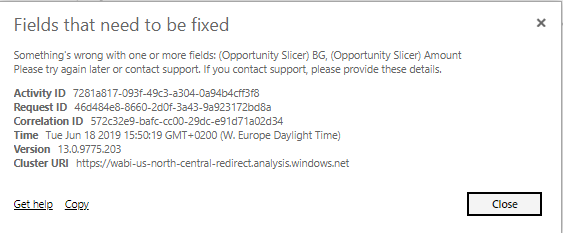
So I got a normal stacked bar chart giving me an error in Service. I also got another similar stacked bar chart visual, but that one does work in Service. Also, both visuals do work in Desktop. Any suggestion for why this one might break in Service but not in Desktop?
Of course after I've asked everyone it works once again with no warning and modification.
I'm starting to rethink the statement "a computer does only what it is learned to do".
Hi @DouweMeer
Some tables name in Service may be inconsistent with the ones in Desktop.Please try to delete the dataset and report in Power BI Service, and then republish the report from Power BI Desktop to Service.
https://docs.microsoft.com/en-us/power-bi/refresh-troubleshooting-tile-errors
Regards,
The Power BI Data Visualization World Championships is back! Get ahead of the game and start preparing now!
| User | Count |
|---|---|
| 58 | |
| 56 | |
| 35 | |
| 18 | |
| 14 |