Forum Discussion

 Advocate II
Error in Power BI Template App (Service)

- 6 years ago
Hi sathyaramesh
1. Here are the requirements for building a template app:
- A Power BI pro license
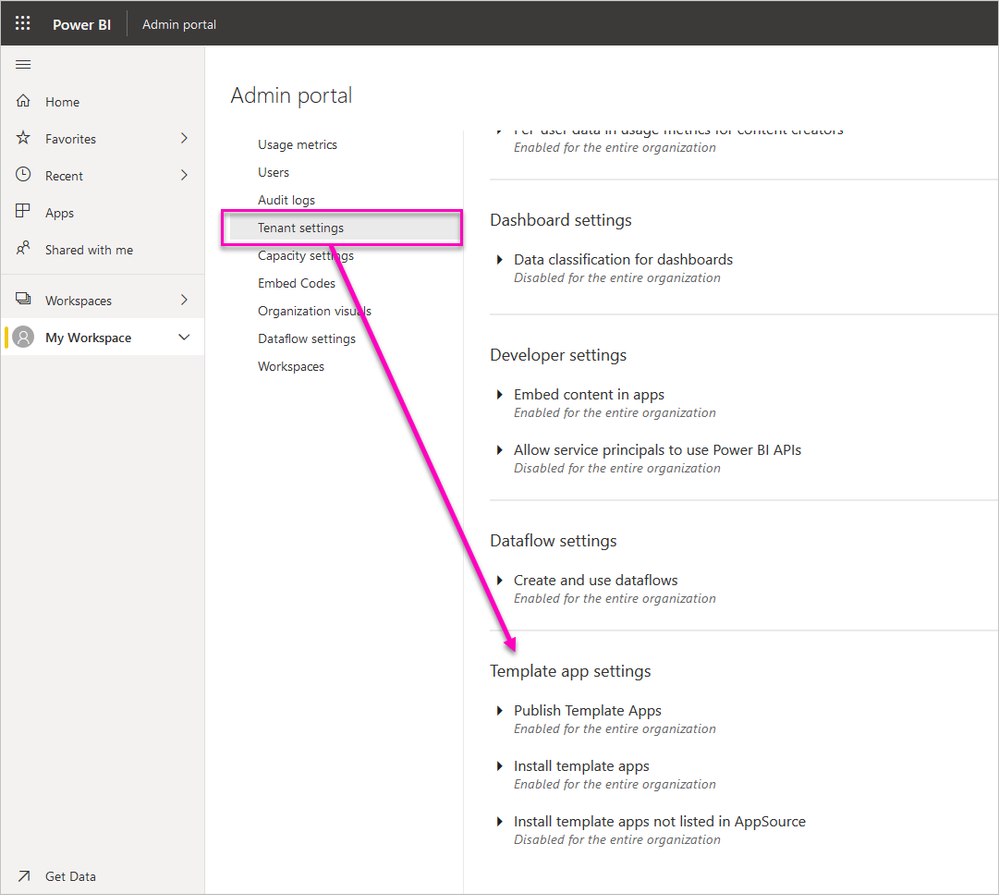
- Permissions to share a template app publicly. See the Power BI admin portal, Template app settings for details.
2. To create the template app, you need permission to create one. See the Power BI admin portal, Template app settings for details.
To publish a template app to the Power BI service and AppSource, you must meet the requirements for becoming a Cloud Marketplace Publisher.
Note
Template apps submissions are managed in Cloud Partner Portal. Use the same Microsoft Developer Center registration account to sign in. You should have only one Microsoft account for your AppSource offerings. Accounts shouldn't be specific to individual services or offers.
3. You can update the template app in the Release management pane, see more:https://docs.microsoft.com/en-us/power-bi/service-template-update-delete-extract.
4. Template apps support all parameters except Any and Binary.
You can refer to the links:https://docs.microsoft.com/en-us/power-bi/service-template-apps-create,
https://docs.microsoft.com/en-us/power-bi/service-template-apps-tips,
https://docs.microsoft.com/en-us/power-bi/service-template-update-delete-extract.


 Microsoft Employee
Usually this message prompts when uploading a pbix of type "any" which isn't supported by template apps. See: https://docs.microsoft.com/en-us/power-bi/connect-data/service-template-apps-overview#known-limitations