Join us at FabCon Atlanta from March 16 - 20, 2026, for the ultimate Fabric, Power BI, AI and SQL community-led event. Save $200 with code FABCOMM.
Register now!The Power BI Data Visualization World Championships is back! Get ahead of the game and start preparing now! Learn more
Is the detect data type feature coming to PBI Dataflows?
When you expand data in flows it doesn't automatically apply data types which means that you need to apply it manually. With 40 - 100 columns in each table and more tables than i can count this becomes quite problematic as I specifically want to keep all columns in the tables i have in flows.
/ Johannes
Hi @tex628,
By my test with SQL Server Database, it seems that most data type will be detected when load in power query for Data flows.
I think this process should be the similar with power query in power bi desktop.
What is your data source and what data type that not be detected in Dataflow?
Best Regards,
Cherry
When you navigate into a single table from the SQL the data types will be detected just fine. But we have several companies within the same SQL, meaning that you need to expand instead:Each [Table] is a G_L Entry table for a different company.
When you expand the detect data types does not work!
Hi @tex628,
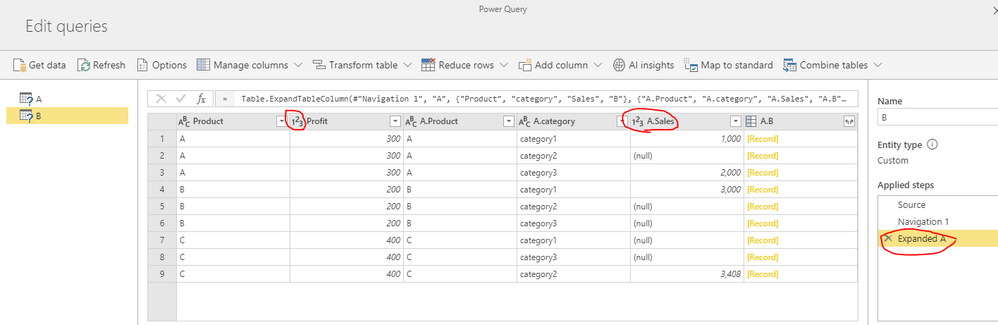
By my tests, if I expend the [Table], Some data type will also be detected like below.
The system will detect the data type based on the value, if it cannot detect the type, it will return ABC(Text), then you should modify the data type manually.
Best Regards,
Cherry
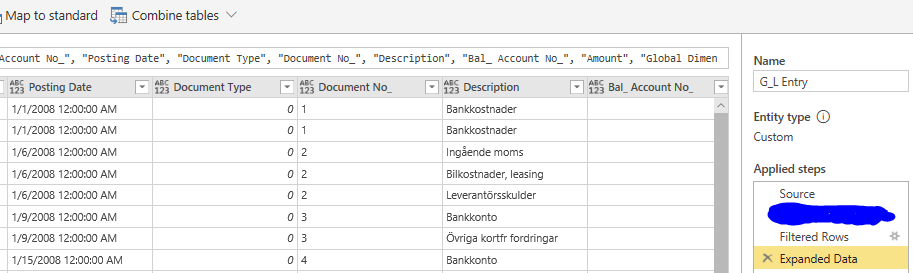
Well this is not the case for me:
Every single column in this G_L Entry table is missing data type.
The source is SQL Server, in this case Azure SQL.
Do you have any idea what the cause is for this difference in behaviour?
Br,
Johannes
The Power BI Data Visualization World Championships is back! Get ahead of the game and start preparing now!
| User | Count |
|---|---|
| 55 | |
| 49 | |
| 44 | |
| 16 | |
| 16 |