Join us at FabCon Atlanta from March 16 - 20, 2026, for the ultimate Fabric, Power BI, AI and SQL community-led event. Save $200 with code FABCOMM.
Register now!Learn from the best! Meet the four finalists headed to the FINALS of the Power BI Dataviz World Championships! Register now
We have an internal web service that we can access fine using PowerBI Desktop. We simply use Get Data > Web, then enter in the URL.
Our API has many different endpoints so we are creating each endpoint as a separate datasource. I.e.
https://webservice.domain.local/endpoint1
https://webservice.domain.local/endpoint2
https://webservice.domain.local/endpoint3
This is all working fine until we add another enpoint that requires a parameter.
https://webservice.domain.local/endpoint4?parameter=value
This works fine from PowerBI desktop.
I publish the data and setup a data source for the new URL.
The problem is that with this new datasource it will not let me select the Gateway. I choose the appropriate source under Maps To but it simply will not let me select the dataset. It is if it does not think that the data source is appropriate for the URL in the dataset.
Has anyone else had problems when using web sources with paramaters?
Hi @armibewo ,
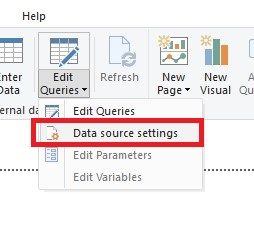
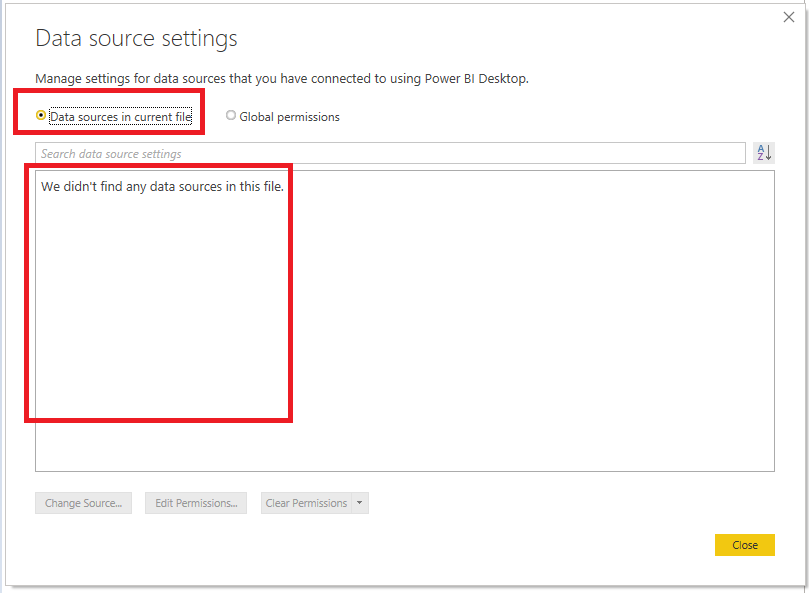
Please check the data sources in your PBIX file in Power BI Desktop. How many data sources are there, then how many data sources need to be configured in the service.
Best Regards,
Icey
If this post helps, then please consider Accept it as the solution to help the other members find it more quickly.
Share feedback directly with Fabric product managers, participate in targeted research studies and influence the Fabric roadmap.
Check out the February 2026 Power BI update to learn about new features.