Join us at FabCon Atlanta from March 16 - 20, 2026, for the ultimate Fabric, Power BI, AI and SQL community-led event. Save $200 with code FABCOMM.
Register now!The Power BI Data Visualization World Championships is back! Get ahead of the game and start preparing now! Learn more
Hi all,
I would like to collaborate on a report with other colleagues.
I shared the report on Service and gave them admin rights on the workspace. Nevertheless, the "edit" option is disabled when they open it from their shared files.
Is this an option? Or maybe GIT is an option for version control and sharing the pbi files?
Many thanks in advance,
Elria
Solved! Go to Solution.
Hi @elria ,
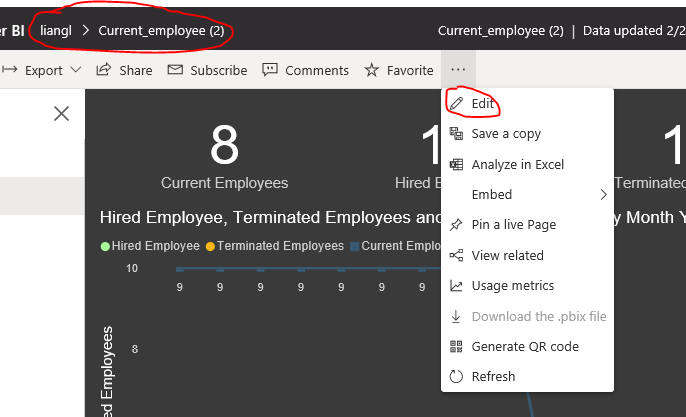
To edit the report, you need to navigate to the workspace that the report is contained in.
Try changing the zoom level of the browser to 80-90%, you should be able to see the option to Edit the report.
Best Regards,
Liang
If this post helps, then please consider Accept it as the solution to help the other members find it more quickly.
Hi @elria ,
To edit the report, you need to navigate to the workspace that the report is contained in.
Try changing the zoom level of the browser to 80-90%, you should be able to see the option to Edit the report.
Best Regards,
Liang
If this post helps, then please consider Accept it as the solution to help the other members find it more quickly.
The Power BI Data Visualization World Championships is back! Get ahead of the game and start preparing now!