This time we’re going bigger than ever. Fabric, Power BI, SQL, AI and more. We're covering it all. You won't want to miss it.
Learn moreLevel up your Power BI skills this month - build one visual each week and tell better stories with data! Get started
Hi, community 🙂
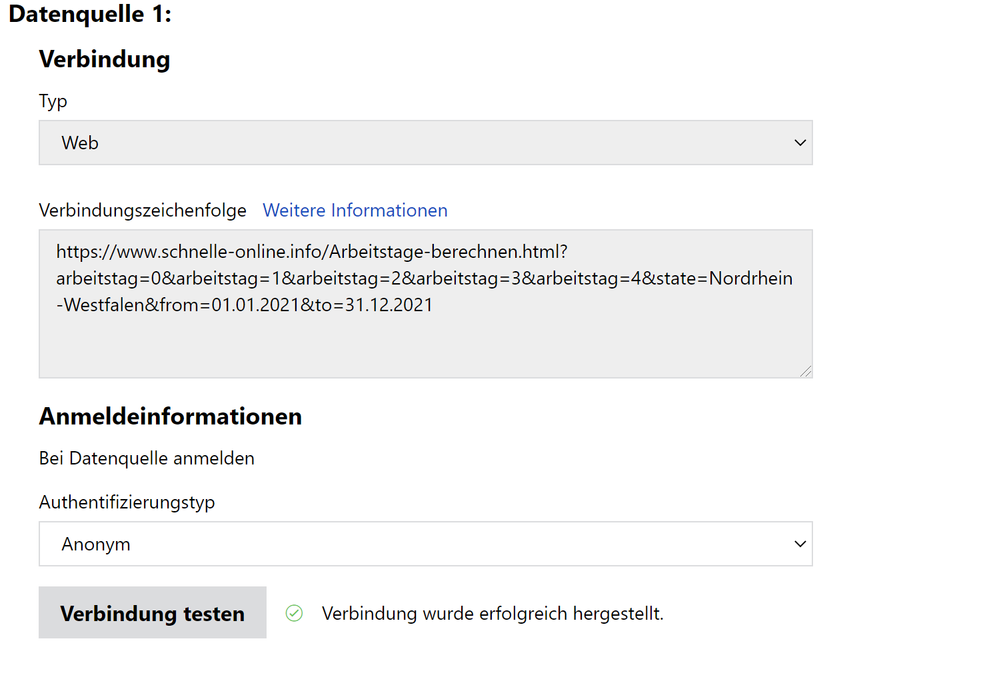
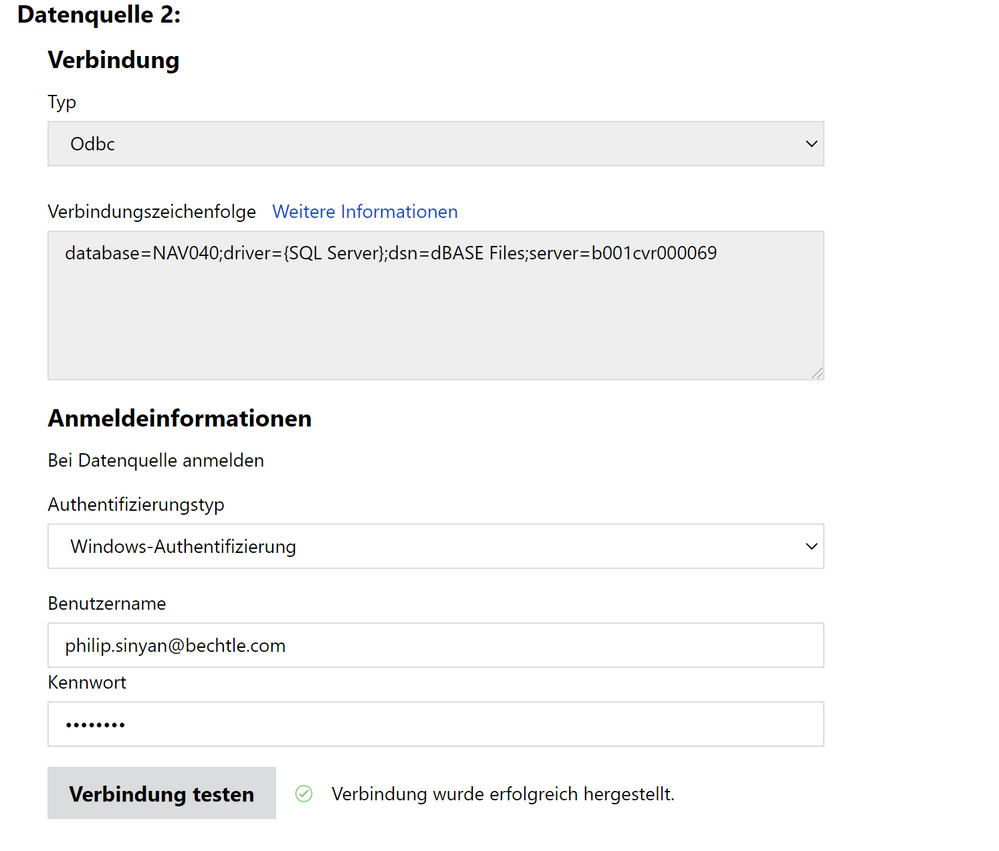
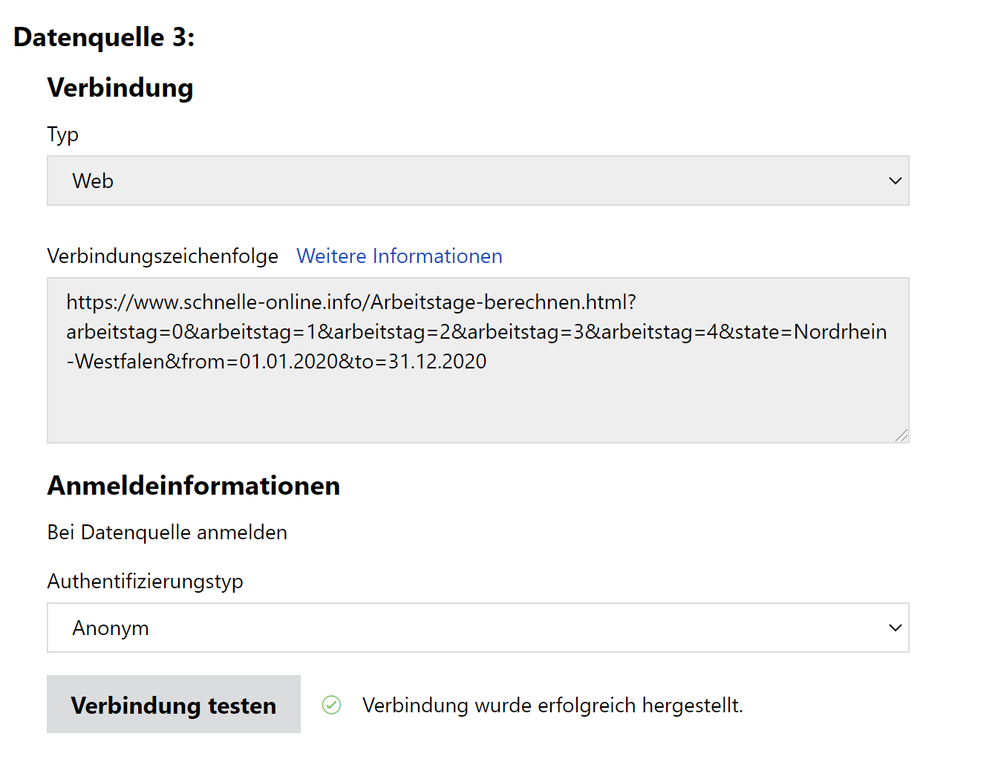
I'm having problems automatically refreshing my report that's on the report sever.I'm relatively new to Power Bi so at a loss as to what to do atm. Attached are pictures showing that all my data sources are successfully connected
I would be grateful for any assistance the community could give me.
Thank you
Your Datenquelle1 and Datenquelle3 are duplicates. De-parameterize them, only keep the root URL. You can add the parameters in the actual dataset data source definition.
It seems you might be hitting a limitation with web data sources in Power BI Report Server.
Power BI Report Server has a limitation when using web data: only data files from web can be refreshed. Data based on Page or By example aren't refreshable. This limitation is because the M expressions created with Web.BrowserContents and Web.Page can't be refreshed. Power BI Report Server can only refresh Web.Contents data sources.
https://docs.microsoft.com/en-us/power-bi/report-server/data-sources
Check out the April 2026 Power BI update to learn about new features.
Sign up to receive a private message when registration opens and key events begin.
If you have recently started exploring Fabric, we'd love to hear how it's going. Your feedback can help with product improvements.
| User | Count |
|---|---|
| 3 | |
| 2 | |
| 2 | |
| 1 | |
| 1 |
| User | Count |
|---|---|
| 2 | |
| 2 | |
| 2 | |
| 2 | |
| 2 |