Join us at FabCon Atlanta from March 16 - 20, 2026, for the ultimate Fabric, Power BI, AI and SQL community-led event. Save $200 with code FABCOMM.
Register now!Vote for your favorite vizzies from the Power BI Dataviz World Championship submissions. Vote now!
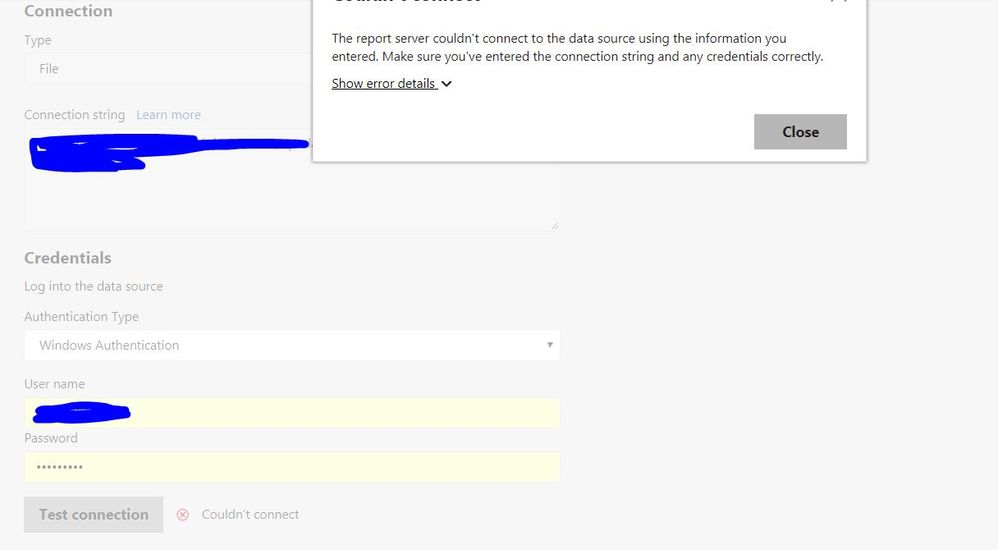
I have an excel file on sharepoint to use in reports. When I want to scheduling I got this type of error. What can I do for this error?
Solved! Go to Solution.
Is your connection string using a mapped drive letter (e.g. W:\MyFile.xlsx)?
If so this won't work, you'll need to use a UNC path (e.g. \\MyServer\MyFile.xlsx).
Is your connection string using a mapped drive letter (e.g. W:\MyFile.xlsx)?
If so this won't work, you'll need to use a UNC path (e.g. \\MyServer\MyFile.xlsx).
Your proposal works well, dataconnection section test connections are all ok. But when I want to refresh the data in the scheduled refresh section then I got this error.
Do you have any idea about this?
"Credentials are required to connect to the SharePoint source. (Source at http://intranet.). The exception was raised by the IDbCommand interface."
Glad you got over the first issue.
The error you're now seeing looks like a permissions issue. Can you confirm the credentials you are using to read the Excel file have the correct permissions assigned?
Actually I tried a lot of time for refreshing, but everytime I got this error. My report uses bot the excel file and sharepoint lists. The error message is related to the sharepoint lists. Sometimes I got the same error for the excel file.
The excel file have no login need to connect, but authentication for the file folder is given in the authentication part as Windows account.
Vote for your favorite vizzies from the Power BI World Championship submissions!
If you love stickers, then you will definitely want to check out our Community Sticker Challenge!
Check out the January 2026 Power BI update to learn about new features.
| User | Count |
|---|---|
| 6 | |
| 4 | |
| 4 | |
| 3 | |
| 2 |