Share feedback directly with Fabric product managers, participate in targeted research studies and influence the Fabric roadmap.
Sign up nowGet Fabric certified for FREE! Don't miss your chance! Learn more
Hi Power Bi Community,
Can you please help me to replace values in one step.
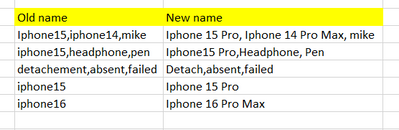
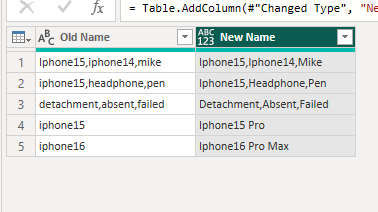
Created a sample example in below image which is similar real scenario.
Tried if else condtion , but in if else condition I need to consider it as entire string but in my case I have 25 categories people can select multiple categories at a time. I want to label those values based on business requirements.
Insetead of using Table.ReplaceValue function is there any way you can help me.
Thanks for your time.
Share feedback directly with Fabric product managers, participate in targeted research studies and influence the Fabric roadmap.
If you love stickers, then you will definitely want to check out our Community Sticker Challenge!
Check out the January 2026 Power BI update to learn about new features.
| User | Count |
|---|---|
| 7 | |
| 4 | |
| 4 | |
| 4 | |
| 3 |
| User | Count |
|---|---|
| 12 | |
| 11 | |
| 11 | |
| 7 | |
| 6 |