Don't miss your chance to take the Fabric Data Engineer (DP-700) exam on us!
Learn moreWe've captured the moments from FabCon & SQLCon that everyone is talking about, and we are bringing them to the community, live and on-demand. Starts on April 14th. Register now
Hi all,
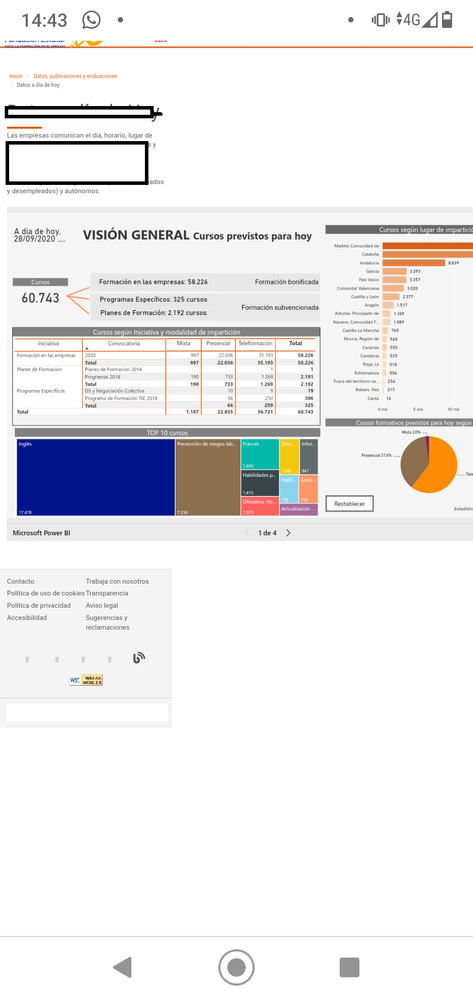
I have an issue. We have a public website with a Power BI report embebed done with the URL generated from Power BI Serive (and the iframe parameters). The thing is that when you want to visit the website with the mobile phone it doesn't adjust the report size and the result is something like in the screenshot i add. (you have to scroll to the right if you want to see all the report).
Could anyone help me?
PS: The report also have its mobile view defined.
Thank you in advance.
Hi @Anonymous,
It seems like you use 'publish to web' features to generate the corresponding contents. AFAIk, publish to web contents not contains features to autofit the page size. Maybe you can try to submit an idea for this requirement.
In addition, you can try to use power bi embedded, it allows you ro to use javascript api to do custom with embedded contents.
microsoft / PowerBI-JavaScript
Regards,
Xiaoxin Sheng
If you have recently started exploring Fabric, we'd love to hear how it's going. Your feedback can help with product improvements.
A new Power BI DataViz World Championship is coming this June! Don't miss out on submitting your entry.
Share feedback directly with Fabric product managers, participate in targeted research studies and influence the Fabric roadmap.