cancel
Showing results for 
Search instead for 
Did you mean: 

The Power BI Data Visualization World Championships is back! It's time to submit your entry. Live now!

Reply
vthomas
New Member

Power BI Embedded workspce

Hi 


I struggling to create a Power BI Embedded work space collection. Followed the article below to create the work space 

https://docs.microsoft.com/en-us/azure/power-bi-embedded/power-bi-embedded-get-started


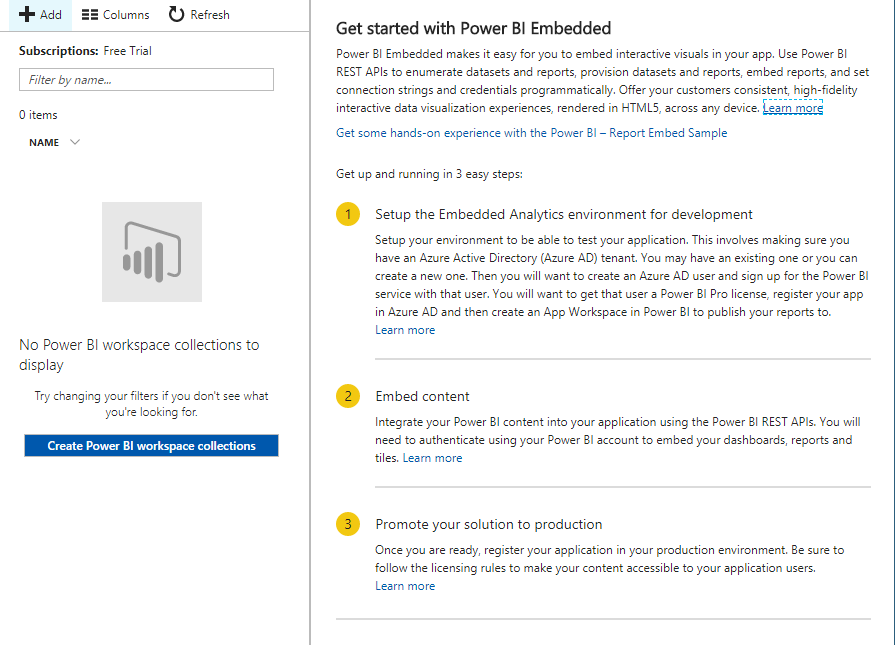
However, I do not get the screen shown under the point 4. instead I get

Capture.PNG


Clicking the + or Create Power BI workspace collection button I get the same Get Started screen.


Please help to create the work space.


Thanks

Vinu

1 ACCEPTED SOLUTION
Eric_Zhang
Microsoft Employee
Microsoft Employee

@vthomas


Please go through this thread.


You shall note that Power BI Embedded is being deprecated  and will continue to work for a limited time, to avoid any extra migrating and re-developing work in future, it is recommended to start with the new replacement Embedding with non-Power BI users(Power BI Premium license needed).

View solution in original post

1 REPLY 1
Eric_Zhang
Microsoft Employee
Microsoft Employee

@vthomas


Please go through this thread.


You shall note that Power BI Embedded is being deprecated  and will continue to work for a limited time, to avoid any extra migrating and re-developing work in future, it is recommended to start with the new replacement Embedding with non-Power BI users(Power BI Premium license needed).

Helpful resources

Announcements
Power BI DataViz World Championships

Power BI Dataviz World Championships

The Power BI Data Visualization World Championships is back! It's time to submit your entry.

January Power BI Update Carousel

Power BI Monthly Update - January 2026

Check out the January 2026 Power BI update to learn about new features.

FabCon Atlanta 2026 carousel

FabCon Atlanta 2026

Join us at FabCon Atlanta, March 16-20, for the ultimate Fabric, Power BI, AI and SQL community-led event. Save $200 with code FABCOMM.