This is best Fabric, Power BI, SQL and AI community event. How do we know? The last event sold out! Save €200 with code FABCMTY200.
Register nowA new Data Days event is coming soon! This time we’re going bigger than ever. Fabric, Power BI, SQL, AI and more. Don't miss out.
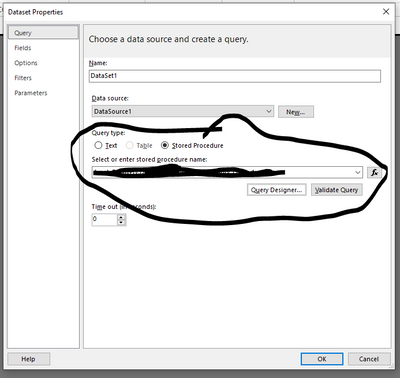
I'm trying to find the power bi API that would allow me to see the dataset details of a paginated report. Basically i'm trying to use the API to look into the paginated reports (and pbix if that's possible) and log the SQL object refrerenced along with the report name, to form an index of sorts to help navigate changes.
Solved! Go to Solution.
The export Report API appears to allow me to back into the RDL/XML code and tease the command text out of the source code. Doesn't work for pbix files that have been compressed however, so I'll have to keep digging for those
I believe you should try this API for a list of paginated report data sources
Reports - Get Datasources - REST API (Power BI Power BI REST APIs) | Microsoft Learn
The export Report API appears to allow me to back into the RDL/XML code and tease the command text out of the source code. Doesn't work for pbix files that have been compressed however, so I'll have to keep digging for those
Am i missing something, when I review the API on the website as well as running it myself, this API only gets me to the database level, looking to take it down the next level to say it's running the stored procedure dbo.xyz
Indeed, the get datasources REST API works for normal and rdl (paginated) reports as well. I've tried. In PowerShell, use Invoke-PowerBIRestMethod. If the data source of your paginated report is a dataset, and you want to get the underlying SQL-Server, you need a subsequent call of Datasets - Get Datasources - REST API.
Sign up to receive a private message when registration opens and key events begin.
If you have recently started exploring Fabric, we'd love to hear how it's going. Your feedback can help with product improvements.
| User | Count |
|---|---|
| 3 | |
| 1 | |
| 1 | |
| 1 | |
| 1 |