@michael21
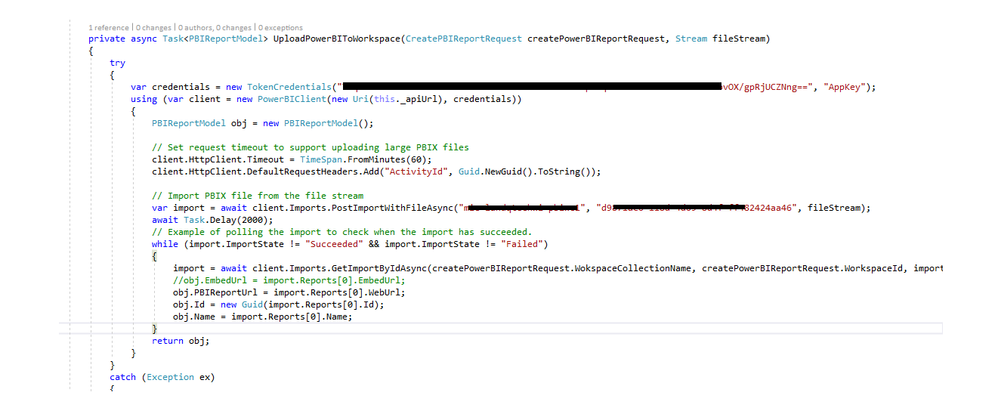
Below demo works in my test. I'd guess it might be the incorrect stream that causes the error? Before using a blob stream, instead testing with a local file at first.
using System;
using System.Collections.Generic;
using System.Linq;

using System.Threading.Tasks;
//Install-Package Microsoft.PowerBI.Api
using Microsoft.PowerBI.Api.V1;
using Microsoft.PowerBI.Api.V1.Models;
using System.IO;
using System.Threading;
using Microsoft.Rest;

namespace importPbix_PBIE
{
    class Program
    {


        static string clientId = "49df1bc7-db68-4fb4-91c0-6d93f770d1a4";

        //power bi workspace collection accesskey
        static string accessKey = "KJixsmmwxxxxxxxiXY8iE/zNVHROCmcaOIFr6a2vmQ==";
        static string workspaceCollectionName = "cixxsxxdemo";
        static string workspaceId = "79c71xxxxb79d2xxxxe0b";
        static string filePath = @"C:\test\test.pbix";


        static void Main(string[] args)
        {
            var task = ImportPbix(workspaceCollectionName, workspaceId, "mytestdataset", filePath);
            task.Wait();
            Console.ReadKey();
        }

        static async Task<Import> ImportPbix(string workspaceCollectionName, string workspaceId, string datasetName, string filePath)
        {
            using (var fileStream = File.OpenRead(filePath.Trim('"')))
            {
                using (var client = await CreateClient())
                {
                    // Set request timeout to support uploading large PBIX files
                    client.HttpClient.Timeout = TimeSpan.FromMinutes(60);
                    client.HttpClient.DefaultRequestHeaders.Add("ActivityId", Guid.NewGuid().ToString());

                    // Import PBIX file from the file stream
                    var import = await client.Imports.PostImportWithFileAsync(workspaceCollectionName, workspaceId, fileStream, datasetName);

                    // Example of polling the import to check when the import has succeeded.
                    while (import.ImportState != "Succeeded" && import.ImportState != "Failed")
                    {
                        import = await client.Imports.GetImportByIdAsync(workspaceCollectionName, workspaceId, import.Id);
                        Console.WriteLine("Checking import state... {0}", import.ImportState);
                        Thread.Sleep(1000);
                    }

                    return import;
                }
            }
        }


        static async Task<PowerBIClient> CreateClient()
        {
            // Create a token credentials with "AppKey" type
            var credentials = new TokenCredentials(accessKey, "AppKey");

            // Instantiate your Power BI client passing in the required credentials
            var client = new PowerBIClient(credentials);

            // Override the api endpoint base URL.  Default value is https://api.powerbi.com
            client.BaseUri = new Uri("https://api.powerbi.com");

            return client;
        }


    }
}