How to Run Time (While Publish) the select the custome Parameter from Parameter List using the Advance Editors in Power BI.
Actually I am importing the data (Events log) from Azure Applicationinsight (like device Id, Date, Version Number, Status etc). The query has created by Export function in Azure and implemented by BlankQuery as data source in Power BI ( sample query has as mentioned below).
Now I would like to select the records by dynamically (Desktop and Web browser) change the duration from Parameter list. When I Publish it then their have no option for parameter list
Query 1.
let AnalyticsQuery =
let Source = Json.Document(Web.Contents("https://api.applicationinsights.io/v1/apps/XXXXXXXXXXXXXXXXXXXX/query",
[Query=[#"query"="customEvents
| where name == 'Devices'
| project custDim = parse_json(tostring(customDimensions))
| project Properties = tostring(custDim.Properties), tostring(custDim.IngressTimestamp)",#"x-ms-app"="AAPBI",#"timespan"=Text.From(Timefrom) ,#"prefer"="ai.response-thinning=true"],Timeout=#duration(0,0,4,0)])),
TypeMap = #table(
{ "AnalyticsTypes", "Type" },
{
{ "string", Text.Type },
{ "int", Int32.Type },
{ "long", Int64.Type },
{ "real", Double.Type },
{ "timespan", Duration.Type },
{ "datetime", DateTimeZone.Type },
{ "bool", Logical.Type },
{ "guid", Text.Type },
{ "dynamic", Text.Type }
}),
DataTable = Source[tables]{0},
Columns = Table.FromRecords(DataTable[columns]),
ColumnsWithType = Table.Join(Columns, {"type"}, TypeMap , {"AnalyticsTypes"}),
Rows = Table.FromRows(DataTable[rows], Columns[name]),
Table = Table.TransformColumnTypes(Rows, Table.ToList(ColumnsWithType, (c) => { c{0}, c{3}}))
in
Table
in AnalyticsQuery
I have created the Parameter List #"timefrom" in Power BI. and replace the hardcoded value from Parameter name #"timespan"=Text.From(Timefrom)
Parameter List :
Timefrom(PT12H)
Last Hour | 4 hours | 12 hours | 24 hours | 48 hours | 3 days | 7 days | 30 Days | 90 Days |
| | | | | | | | | |
PT1H | PT4H | PT12H | PT24H | PT48H | P3D | P7D | P30D | P90D |
"PT12H" meta [IsParameterQuery=true, List={"PT1H", "PT2H", "PT12H", "PT24H", "P3D", "P7D"}, DefaultValue="PT1H", Type="Text", IsParameterQueryRequired=true]
Output :
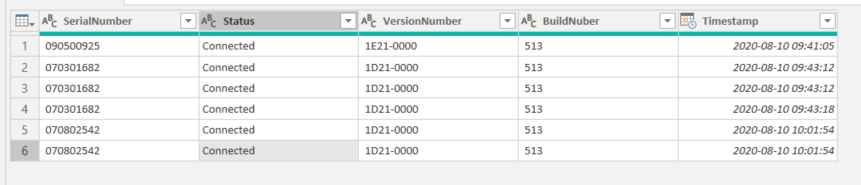
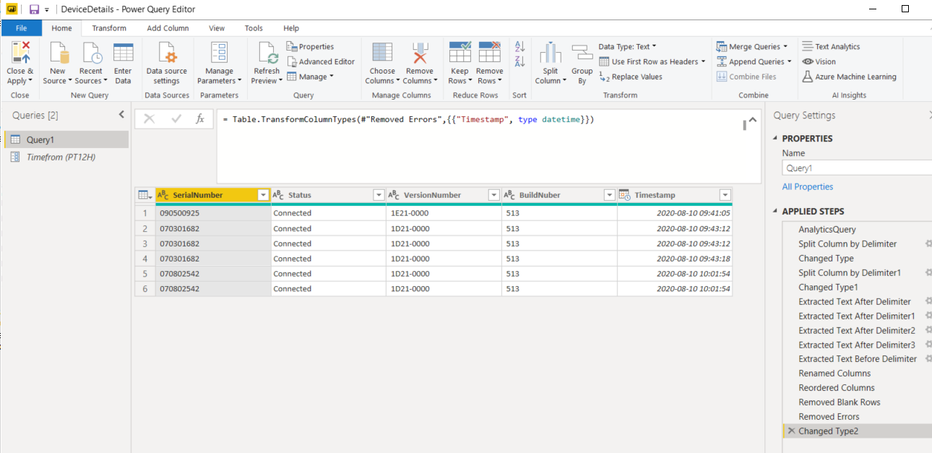
I am new to Power Bi. Please help me.
Thanks
Susheel


